• Changing Sensor Interval with Mervis

    2
    0 Votes
    2 Posts
    839 Views
    Martin KudláčekM
    Hello @csacher, this interval is not changable and it is based on the way the Mervis polls the data from sensors. It doesn't use the broadcast reading, but instead it reads each sensor separately. This way of reading is more resistant to errors. Best regards, Martin
  • Počáteční stav DO/RO po připojení napájení

    2
    1
    0 Votes
    2 Posts
    979 Views
    Martin KudláčekM
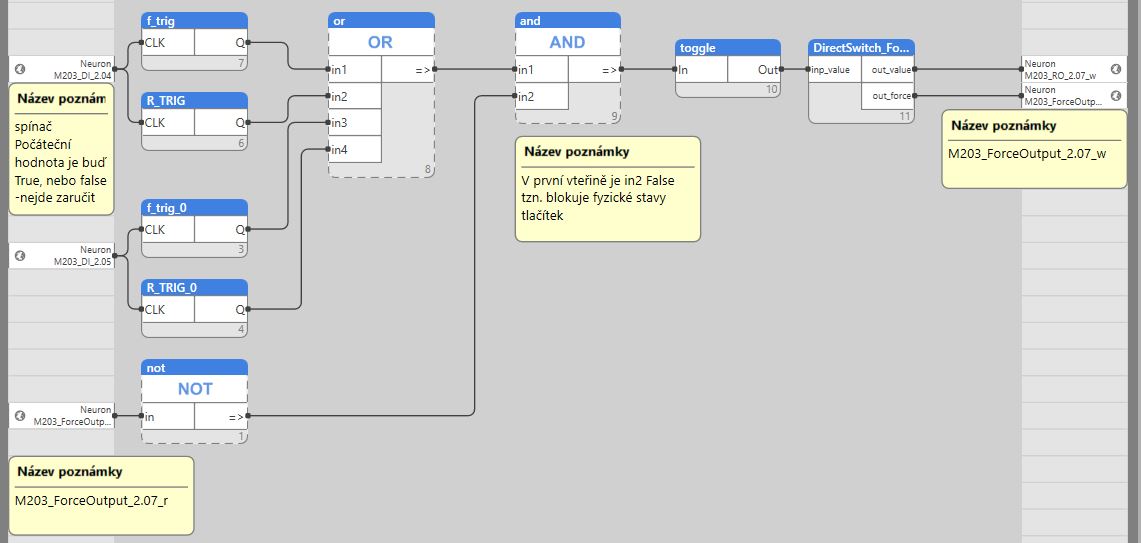
    Dobrý den @linex, direct switch se používá pouze pokud potřebujete na HW úrovni propojit digitální vstup s odpovídajícím digitálním / reléovým výstupem. Pokud tedy vyloučíme tu část týkající se DS, pak by měl být výstup za ORem i za togglem po startu v 0. Studený start dělá přesně to, co popisujete. S pozdravem, Martin
  • openLibrary and HVAC Library

    2
    0 Votes
    2 Posts
    895 Views
    Martin KudláčekM
    Hello @kapdujour, unfortunately we don't plan to port the OSCAT libraries to Mervis. You can try yourself - if they are truly IEC61131-3 compatible, simple recreating them in Mervis should be sufficient. Best regards, Martin
  • B37 how to change time settings of block

    3
    0 Votes
    3 Posts
    1k Views
    D
    Thanks for deep analysis of this problem. I know the possibilities to tuning by changing the parameters, but this is not working well. I will make new block on my own as you suggest. best regards
  • JSON from Mervis ?

    4
    0 Votes
    4 Posts
    2k Views
    T
    Hi @pascal37 , sure you can run the python scrip on the same Axon. We do not have a tutorial for that, but once you enable ssh (via service interface or using the new upcomming Mervis IDE) you will have access to a linux machine as you know.
  • Iterate through UniPi1 digital IN/OUTs

    5
    0 Votes
    5 Posts
    2k Views
    Martin KudláčekM
    @ckb It can be theoretically connected to the UniPi 1.1, you will not get it working directly in the Mervis. Mervis doesn't have any support for custom I2C devices. You would have to write some I2C - Modbus bridge in Python for example.
  • OPC server on unipi ?

    1
    0 Votes
    1 Posts
    813 Views
    No one has replied
  • Další stránka v HMI

    2
    0 Votes
    2 Posts
    1k Views
    T
    [image: 0_1570530928592_add_page.png]
  • HMI web - 404 Not Found

    4
    0 Votes
    4 Posts
    2k Views
    P
    Web z IDE funguje jen v případě, že uživatel User má výchozí heslo rw. Web malfuction from IDE. When create WEB from IDE and have user "User" without default password "rw" then web is loaded, but not work.
  • PI controller behaves different for step-up and step-down

    5
    1
    0 Votes
    5 Posts
    2k Views
    J
    Thanks for the reply @tomas_hora although not very useful. As you can see from the graph in my original post, the Xp and Ti parameters are correctly set. Stepping up from 2 to 3, the PI controller works fine. Stepping down from 3 to 2, the behavior is strange and unexpected. Neither changing the parameters nor switching to PID control solves the problem. Also your reply about the B34 and B35 blocks does not bring any useful information. I can see the heating/cooling description in the title of the block. I'm trying to control pressure. Which one should I use then? The documentation is the same for both blocks. Please explain. Thanks.
  • 0 Votes
    2 Posts
    1k Views
    T
    Added serial port map IDs https://kb.unipi.technology/en:sw:01-mervis:serial-port-numbers-hidden
  • Special Light control

    5
    0 Votes
    5 Posts
    2k Views
    P
    If you use push button via the digital input, then use own control mechanism (pulse counter) with reset from ligth sensor falling edge.
  • změna pořadí I/O funkčního bloku

    2
    0 Votes
    2 Posts
    1k Views
    P
    Dobrý den, vstupy a výstupy v uživatelském funkčním bloku se zobrazují v pořadí v jakém byly vytvořeny a nejde to předělat jinak, než že si v něm vstup/výstup smažete a vytvoříte znovu. POZOR! Ve všech programech, kde tento svůj funkční blok používáte bude potřeba upravit jeho napojení. PP
  • How can I execute program on Mervis

    7
    0 Votes
    7 Posts
    3k Views
    A
    @tomkling Thank you for your information. I also figured out 502 is used on debugging. So it is important.
  • 0 Votes
    3 Posts
    1k Views
    T
    Hi Martin, thanks for the hint. It said that there was a failure in the program. I deleted that part and now it compiles fine.
  • FUPLA Blocks

    2
    0 Votes
    2 Posts
    1k Views
    T
    Hello, you have to create your own library. In general it is best to create an empty project just for your own libraries. Then just create a new librry project and your FB within it. By compiling the project a .slb file will be created in the library_project_name folder within your project. This file should be copied to the C:/Program files/Mervix (xxx)/Library
  • Missing autogen selection.

    2
    0 Votes
    2 Posts
    1k Views
    Martin KudláčekM
    @jakubch The reason is probably due to the Mervis solution being created in the "Simple" mode rather than "Full" mode. Here you can learn how to switch to the Full mode to unlock the Autogen functionality: https://kb.unipi.technology/en:sw:01-mervis:creating-new-project-hidden#switching_from_simple_mode_to_full_mode
  • Where is the online PLC value column...?

    2
    1
    0 Votes
    2 Posts
    1k Views
    Martin KudláčekM
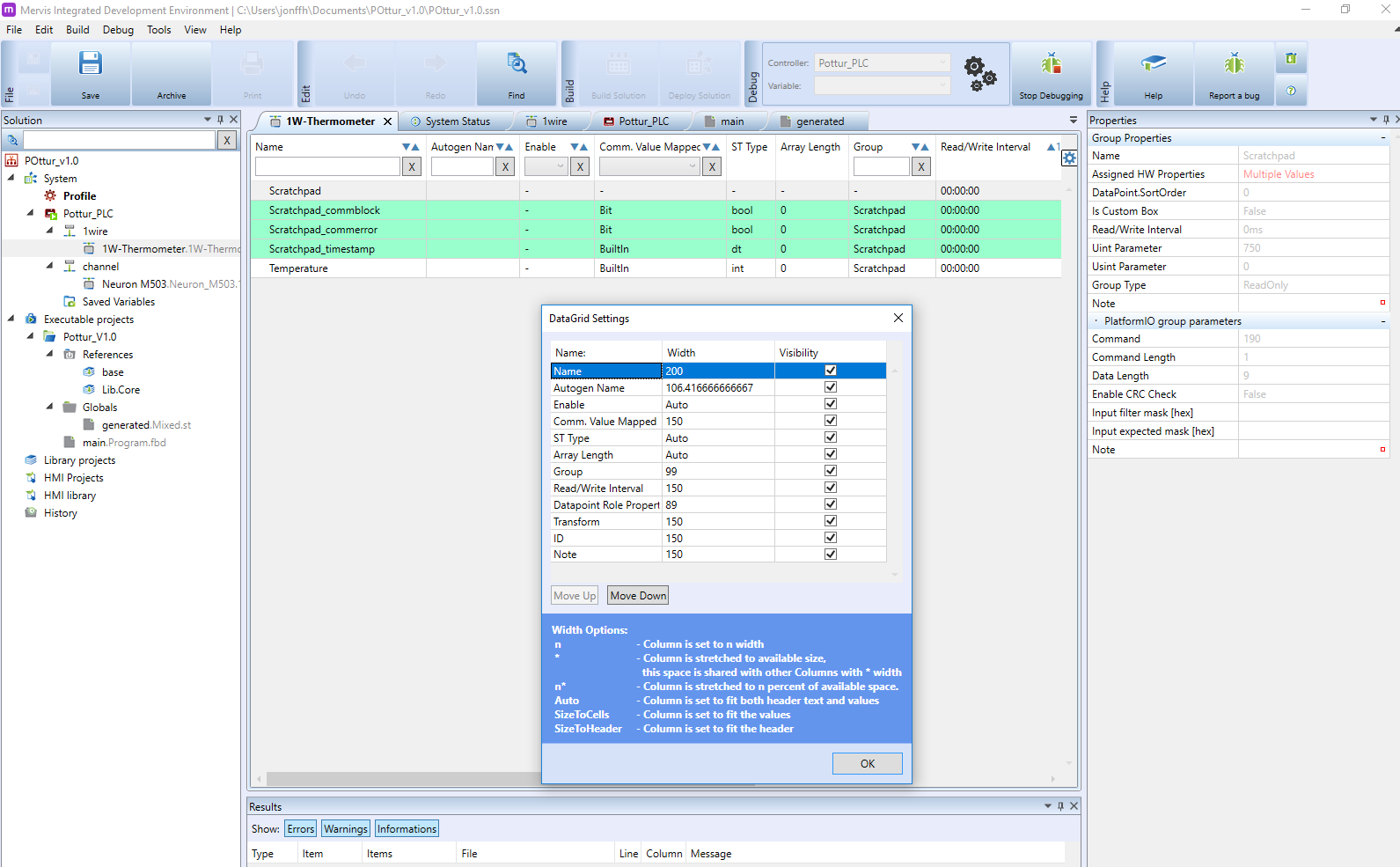
    Hi @jonffh, the online PLC values are shown in the "Variable browser". What you are looking at is the definition of the 1-Wire thermometer prototype. Normally, you should se the "Variable browser" among other tabs like "System status", etc. You probably closed the tab. To reopen it, click on the "View" in top menu and then click on the "Variable Browser". Best regards, Martin
  • Pozice slunce

    2
    0 Votes
    2 Posts
    1k Views
    T
    Dobrý den @jakubch pozice slunce je jen teoretická hodnota, kterou byste mohl pro tento účel využít. Pro správnou funkčnost by bylo lepší se dívat na aktuální data například z meteostanice https://www.unipi.technology/warioweather-ip-weather-station-p126 V MervisIDE je tato funkce pod názvem T40 Solar Calculator viz obrázek níže [image: 0_1565071023432_t40.png]
  • HMI and physical input ?

    3
    0 Votes
    3 Posts
    1k Views
    T
    You will need a function block where you will solve who will be the winner (if the DI has priority, or the HMI gadget, or the last one...).