S103-G use GSM/GPRS module to connect to internet
-
TUTORIAL FIBOCOM G510 Unipi Neuron S103-G
Make the file-system writable:
mount / -o remount,rw
mount /boot -o remount,rw
Test the interface /dev/ttyAMA0 (serial link parameters: 115 200 1N8 Bps/Par/Bits)
- Export pin 18
echo 18 >/sys/class/gpio/export- Switch on module
echo out > /sys/class/gpio/gpio18/direction echo 1 > /sys/class/gpio/gpio18/value echo 0 > /sys/class/gpio/gpio18/value sleep 1 echo 1 > /sys/class/gpio/gpio18/value sleep 2- Start the communication using
cu
apt-get install cu chown root:root /dev/ttyAMA0 cu -l /dev/ttyAMA0- Test: send sms (<Enter> means you have to press enter, OK is the output of the command)
AT <Enter> OK AT+CMGF=1 <Enter> OK AT+CMGS="yourphonenumber" <Enter> > Prova <Ctrl+z> +CMGS: 152 OK- Disconnect: type
~(alt+126) than wait for[unipi]output than type.and hit<Enter>
~[unipi]. <Enter>If interface doesn't works try:
- Enable UART:
nano /boot/cmdline.txtadd (if not present) or edit this line:enable_uart=1. Close and save the file by typingCtrl+XandY. Reboot Unipi Neuron and retry to test the interface.
Now let's configure the interface for internet connection
- Install required packages
apt-get update apt-get install ppp screen elinks- Edit the configuration file (I use nano
apt-get install nano)
cd /etc/ppp/peers/ nano rnet- Copy the code below to the new file
#configure for connection connect "/usr/sbin/chat -v -f /etc/chatscripts/gprs -T <yourAPNhere>" # Use /dev/ttyAMA0 as the communication port: /dev/ttyAMA0 # Baudrate 9600 # Assumes that your IP address is allocated dynamically by the ISP. noipdefault # Try to get the name server addresses from the ISP. usepeerdns # Use this connection as the default route to the internet. defaultroute # Makes PPPD "dial again" when the connection is lost. persist # Do not ask the remote to authenticate. noauth # No hardware flow control on the serial link with GSM Modem nocrtscts # No modem control lines with GSM Modem local-
Replace
<yourAPNhere>with your APN (Search in google APN of "your mobile operator") close and save the file by typingCtrl+XandY -
If your SIM card has a PIN edit this file
nano /etc/chatscripts/gprsun comment the lineAT+CPIN=1234and set the pin instead of1234 -
Enable the connection by typing
pon rnet. The show the log for PPPD typecat /var/log/syslog | grep pppdit will show if connection is established successfully. -
Type
ifconfig, now you should see another interface namedppp0.

- To close the connection type
poff rnet
-
@roberts_lando Great! Thanks a lot!
-
@tomas_hora Just made a node-red Dashboard to get Modem Data :)


With MNC MCC CellID and LAC it is also possible to get the location of the device by using https://opencellid.org/ APIs
-
Re: S103-G use GSM/GPRS module to connect to internet
Does anyone know if it's possible to send AT commands from Mervis after turning on the modem first? Thanks.
-
@oho Support of the GSM functionality will be available in Mervis in the next release.
-
@roberts_lando hi iam new in node-red and S103-g my question is can you share your nice looking flow to learn better node-red.
regards -
@unix I have added it to node-red flows library: https://flows.nodered.org/flow/af6487676bd89e5e8b74b2c9da1e176d
Enjoy :)
-
Nice thx for help :smile:
Regards -
Hi
i have inport your data but i get one error in debug
its "3.11.2017, 10:59:29node: parseModelIDfunction : (error)
"TypeError: Cannot read property 'trim' of undefined""and the website looks like :
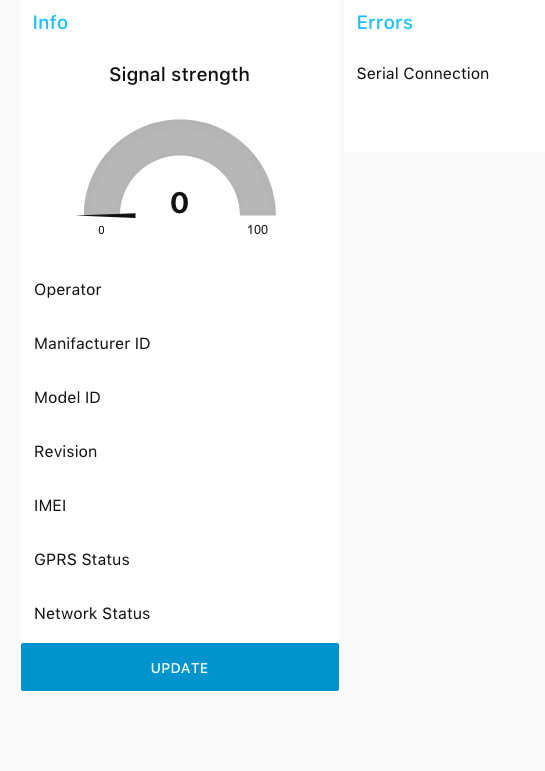
connect is green but no info i have only change the serial connect to
/dev/ttyAMA0: 115200-8n1or i have problems whit the modem i can send the first sms whitout problems but after this only error when i test it whit cu -l /dev/ttyAMA0
hope for hints :smile:
Regards
-
@unix Did you close the connection after using cu? Cause that error means that I call .trim() in an undefined var (modelID) that means no data is received after the command. Each command has a timeout, after that I close the read stream from the serial and I try to parse the response string, if the response string is not well parsed those errors are normal, try to put a debug node to see the output of the serial and check that the cu session is closed.
Disconnect: type ~ (alt+126) than wait for [unipi] output than type . and hit <Enter>
-
Hi
yes the cu session a closed in debug i see this3.11.2017, 11:25:11node: 96ac4186.358femsg.payload : string[4] "OK↵" 3.11.2017, 11:25:13node: 96ac4186.358femsg.payload : string[11] "AT+COPS? ↵" 3.11.2017, 11:25:13node: 96ac4186.358femsg.payload : string[17] "+COPS: 0,0,"A1"↵" 3.11.2017, 11:25:13node: 96ac4186.358femsg.payload : string[2] "↵" 3.11.2017, 11:25:13node: 96ac4186.358femsg.payload : string[4] "OK↵" 3.11.2017, 11:25:14node: parseOperatorfunction : (error) "TypeError: Cannot read property 'trim' of undefined" 3.11.2017, 11:25:15node: 96ac4186.358femsg.payload : string[10] "AT+CGMI ↵" 3.11.2017, 11:25:15node: 96ac4186.358femsg.payload : string[18] "+CGMI: "Fibocom"↵" 3.11.2017, 11:25:15node: 96ac4186.358femsg.payload : string[2] "↵" 3.11.2017, 11:25:15node: 96ac4186.358femsg.payload : string[4] "OK↵" 3.11.2017, 11:25:17node: 96ac4186.358femsg.payload : string[10] "AT+CGMM ↵" 3.11.2017, 11:25:17node: 96ac4186.358femsg.payload : string[38] "+CGMM: "GSM850/900/1800/1900","G510"↵" 3.11.2017, 11:25:17node: 96ac4186.358femsg.payload : string[2] "↵" 3.11.2017, 11:25:17node: 96ac4186.358femsg.payload : string[4] "OK↵" 3.11.2017, 11:25:18node: parseModelIDfunction : (error) "TypeError: Cannot read property 'trim' of undefined"Regards
-
@unix I haven't the possibility to debug it right now, as your debug shows the commands are correctly received, I think you have to change the serial in-out configuration. Check it and send me a screenshot of both.
Also try to put a debug node after join node wired with serial-out
-
@roberts_lando
i have found one error in another flow i have running sms sender i have delete this and the error seems only the trim see screenshots.1
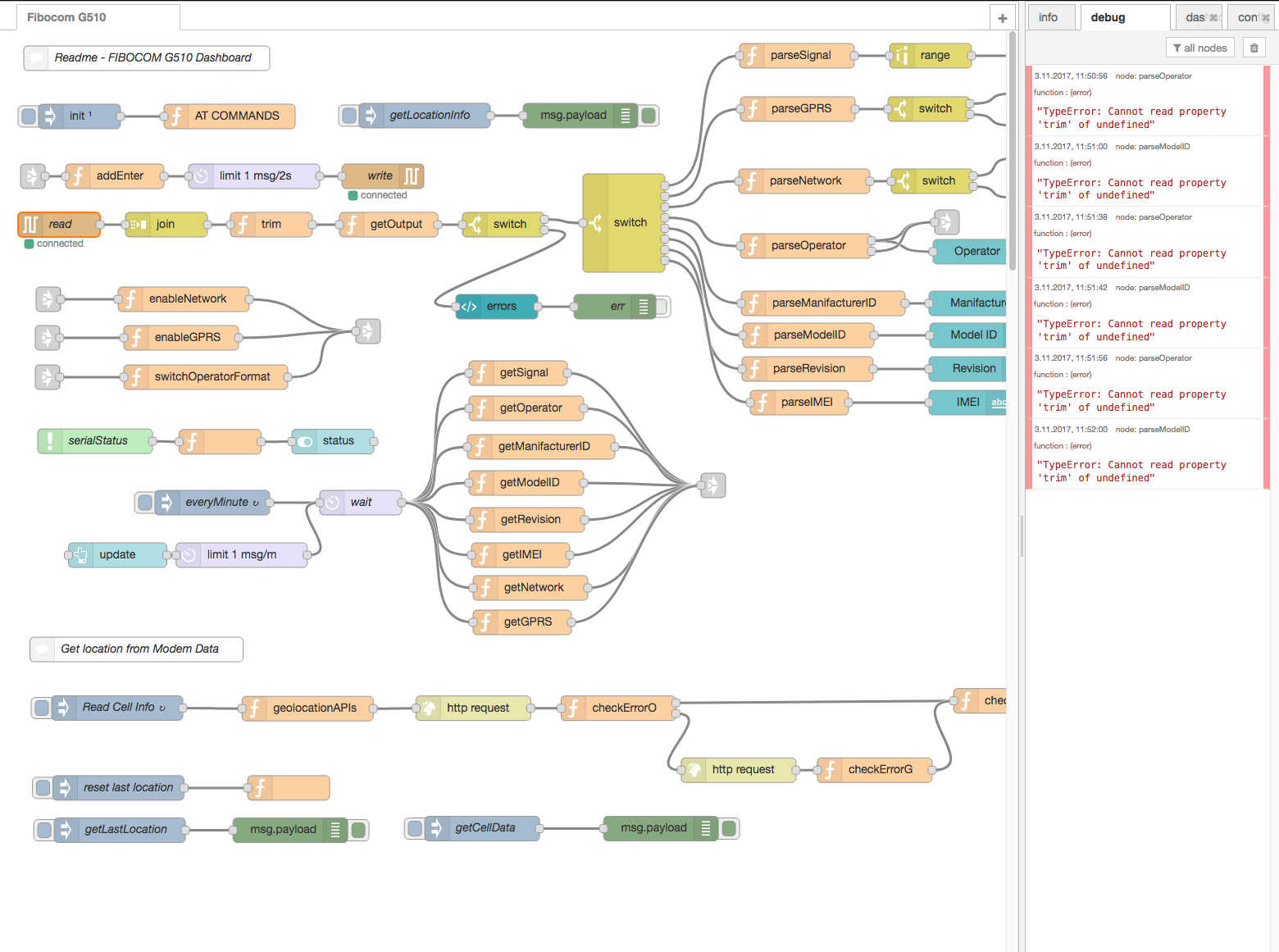
2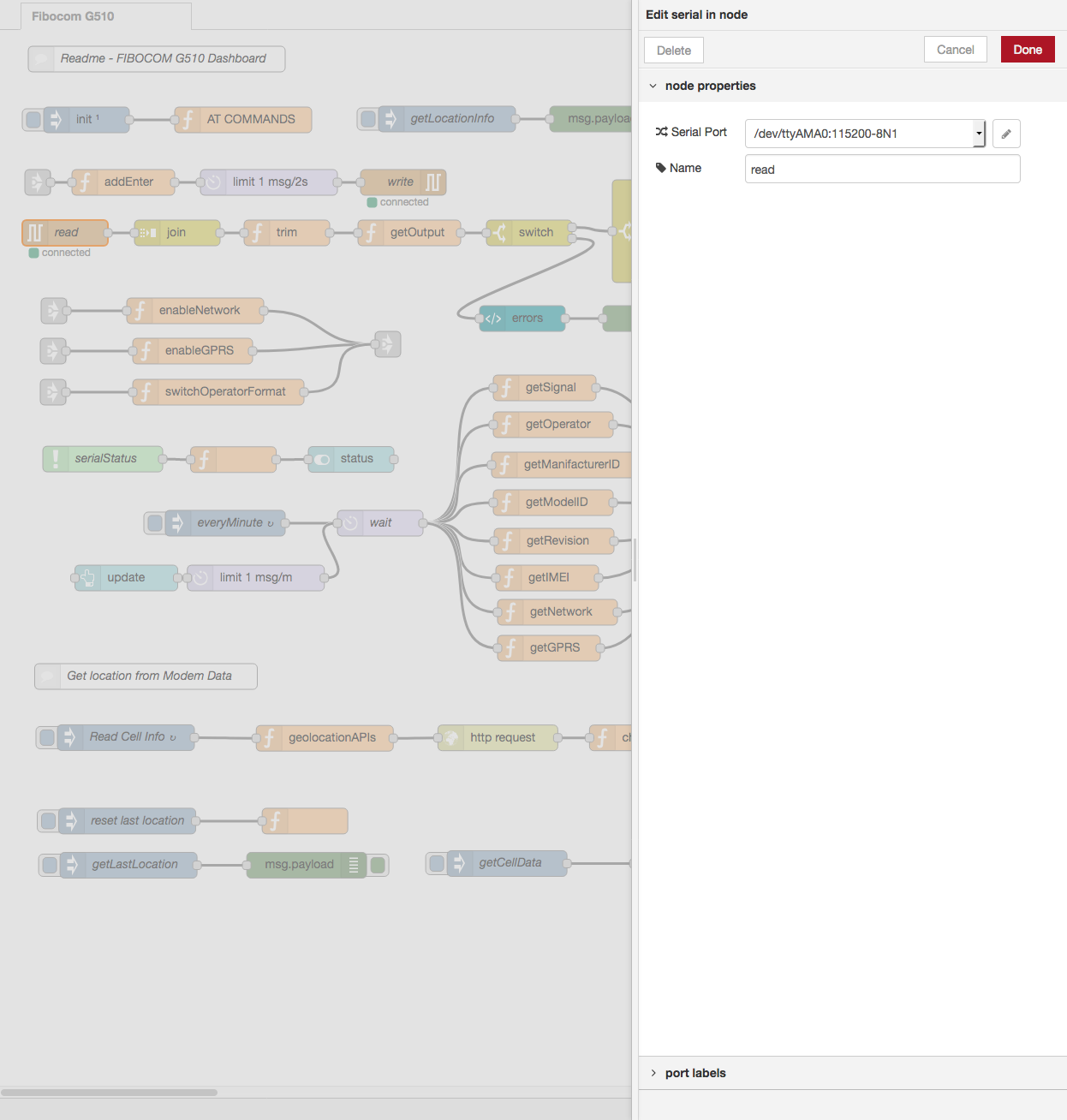
3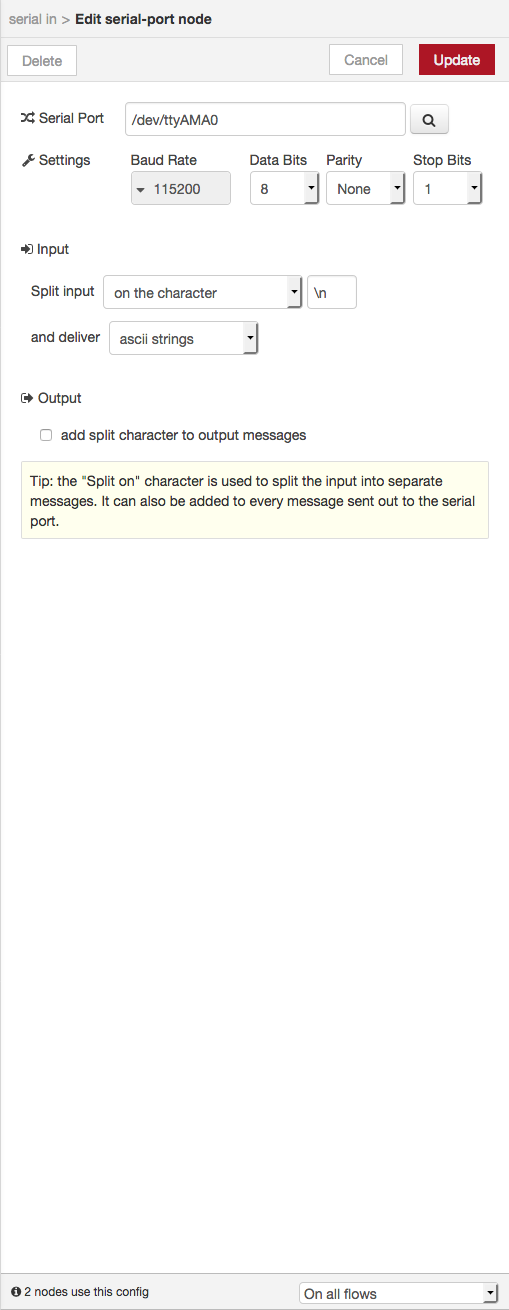
Regards
i have check the modem connect over cu and modem works and i disconnect to the modem.
-
@unix ok I have found the problem: replace
\nwith\r\nin bothserial-inandserial-outnodes than it should work correctly! This has happen because when you have imported the flow I think you haven't already installed node-red-node-serial and the configuration got lost -
-
@unix you welcome! :)
-
@roberts_lando said in S103-G use GSM/GPRS module to connect to internet:
Hi!
Great tutorial!
I use Raspbian Stretch Lite and I can not get the S103-G to work with these instructions. The command cu -l / dev / ttyAMA0 crashes when I try to AT command. Ifconfig does not give ppp0.
What have I missed?
Vesa
-
@Vesa-Kauppinen
Hi
have you disable the BT on Pi3/boot/config.txt addline
dtoverlay=pi3-disable-btand on /boot/cmdline.txt remove
serial console than its looks like
dwc_otg.lpm_enable=0 console=tty1 root=PARTUUID=e13fdf55-02 rootfstype=ext4 elevator=deadline fsck.repair=yes rootwaitRegards
-
-
I always had compatibility problems when using Raspbian Stretch, try to use last Raspbian Jessie img and it should work


Hello! It looks like you're interested in this conversation, but you don't have an account yet.
Getting fed up of having to scroll through the same posts each visit? When you register for an account, you'll always come back to exactly where you were before, and choose to be notified of new replies (either via email, or push notification). You'll also be able to save bookmarks and upvote posts to show your appreciation to other community members.
With your input, this post could be even better 💗
Register Login