Evok do not read device configuration
-
Hi !
We Are using a UniPi Neuron S103. We have upgraded our EVOK installation to the version 2.4. First We Uninstalled the old version ant afterword’s installed the new version.If we open the UniPi Control panel there is No Device configuration loaded.
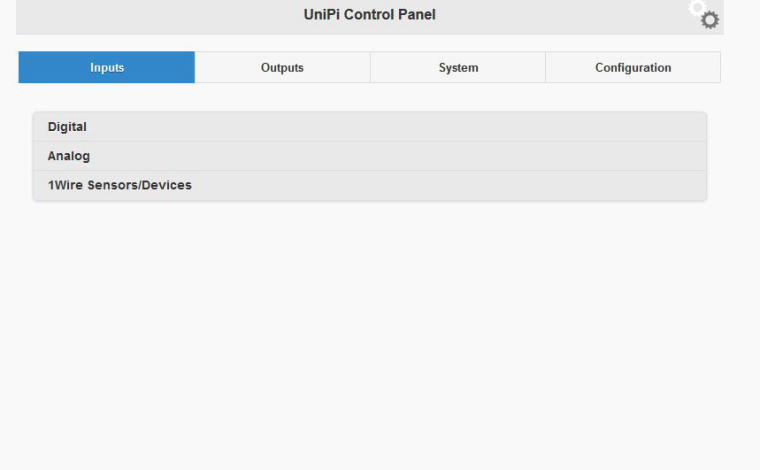
We also tried to start evok manual using :
sudo systemctl stop evok.service
sudo python /opt/evok/evok.py
this results in the Following Error message
[I 180131 10:36:52 config:78] YAML Definition loaded: L51x.yaml, type: 3, definition count 14
[I 180131 10:36:52 config:78] YAML Definition loaded: M10x.yaml, type: 3, definition count 15
[I 180131 10:36:52 config:78] YAML Definition loaded: xS10.yaml, type: 3, definition count 16
[I 180131 10:36:52 config:78] YAML Definition loaded: evok-alias.yaml, type: 2, definition count 0
[I 180131 10:36:52 evok:1703] HTTP server listening on port: 8080
[I 180131 10:36:53 modbusclient_tornado:125] SPI client started
[I 180131 10:36:53 neuron:173] Reading SPI boards
[I 180131 10:36:53 neuron:574] NO NEURON EEPROM DATA DETECTED, EXITING
[I 180131 10:36:53 neuron:575] PLEASE USE A FRESH EVOK IMAGE, OR ENABLE I2C, I2C-DEV AND THE EEPROM OVERLAY
Dou you have any idea what is going on there ? Do I have a wrong firmware version ?
Thanks for your help
Christoph
-
@christophebler How did you update to evok 2.4? This version does not exist.
Check the last two lines from the log you provided. It says that I2C is not enabled so either enable it or use a fresh UniPian or Raspbian image.
-
Thank you for your fast Response.
I think the version number 2.4 was a misunderstanding. I was talking about Config version 2.4. my fault.
I have solved this problem by installing a new OS Raspbian Stretch 2017-11-29. And afterword’s installed all my needed Software.
Now everything works as designed
Thank you
Christoph
Hello! It looks like you're interested in this conversation, but you don't have an account yet.
Getting fed up of having to scroll through the same posts each visit? When you register for an account, you'll always come back to exactly where you were before, and choose to be notified of new replies (either via email, or push notification). You'll also be able to save bookmarks and upvote posts to show your appreciation to other community members.
With your input, this post could be even better 💗
Register Login