Dimming funtion AO
-
Hello everyone.
I hope someone can help me making a 0-10V adjustable output on a Neuron M203.
I'm struggeling quit a long time now and i can't get it work.
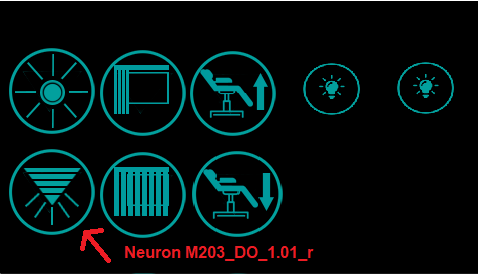
As you can see in the pictures i use a HMI screen to control the M203.
On the left bottom of the screen there is 1 button for the dimming function i want to create.
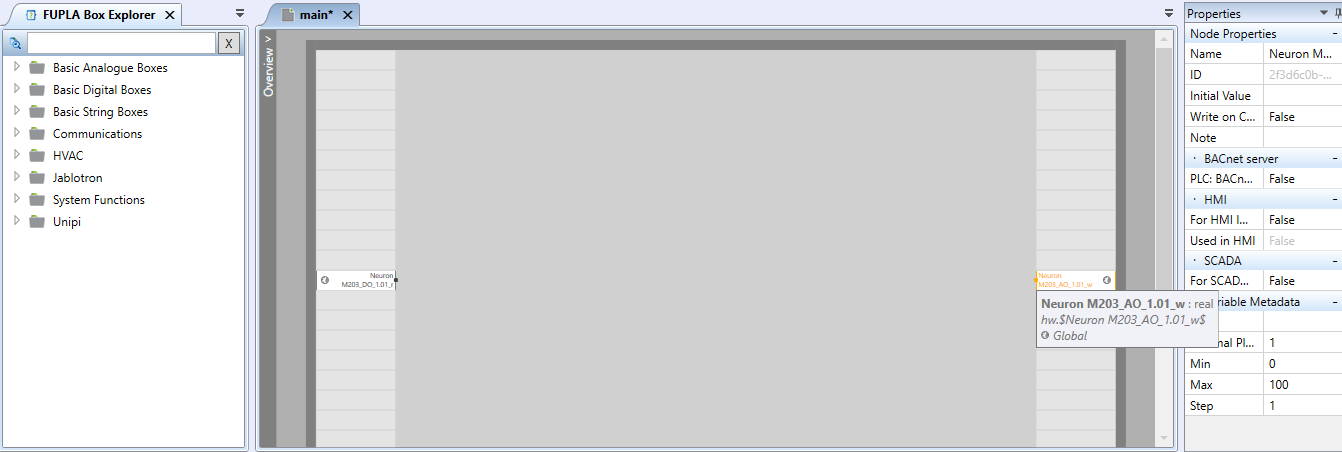
I want to have 0-10V on the AO1.01 output. Keep touching the button must increase the voltage in steps, at the 10V it must decrease and on 0 V it must increase again.
When you realse the button the voltage stays where it is.
With a short touch of the button the voltage drops to 0 en touch it short again it will go to the last voltage.
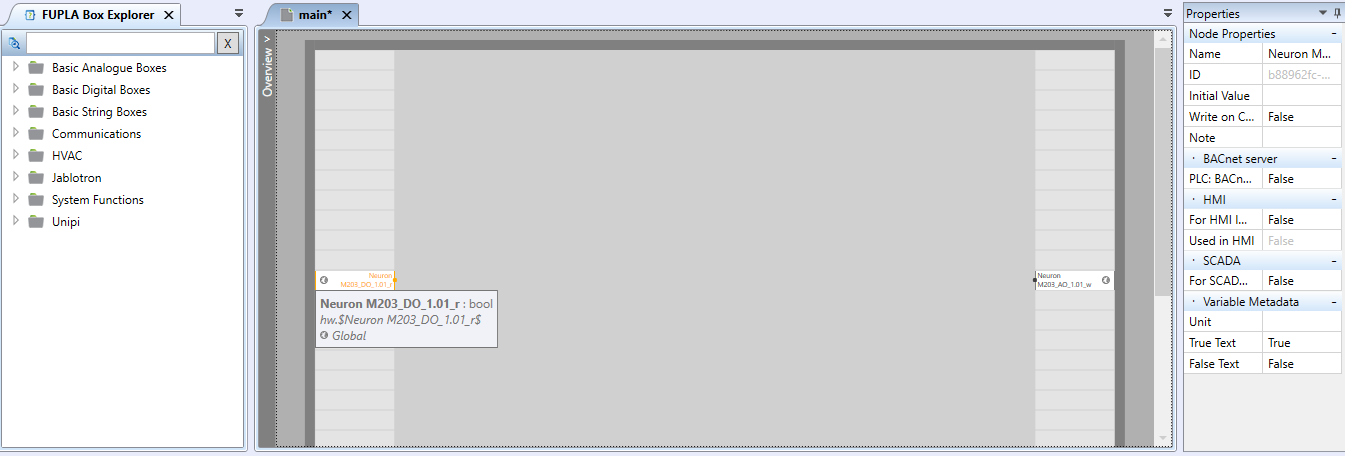
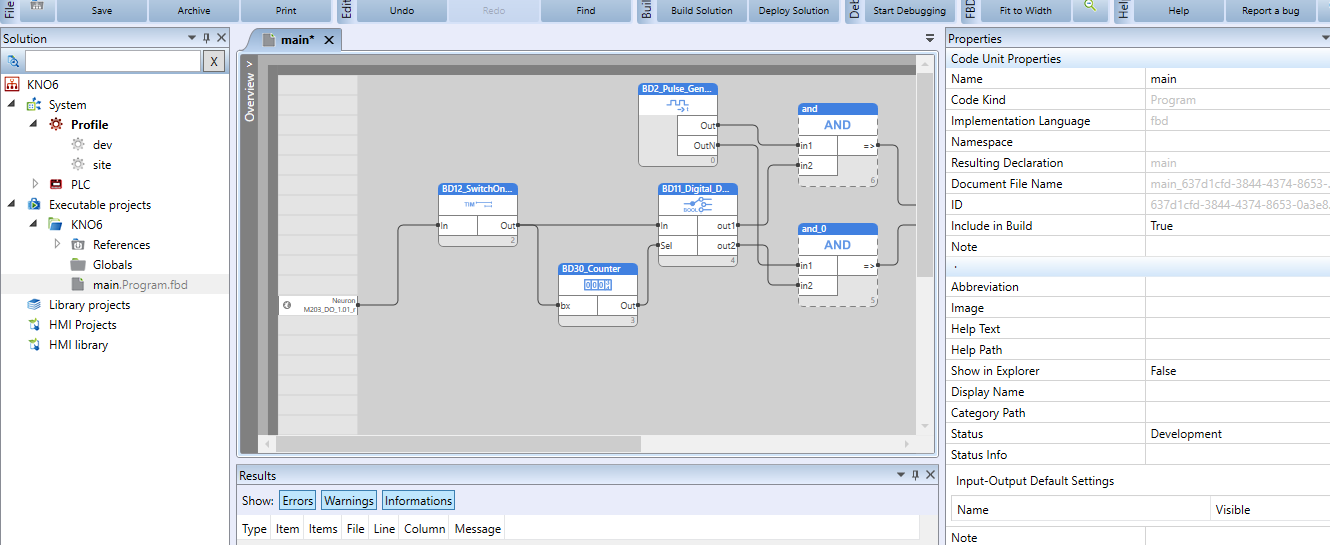
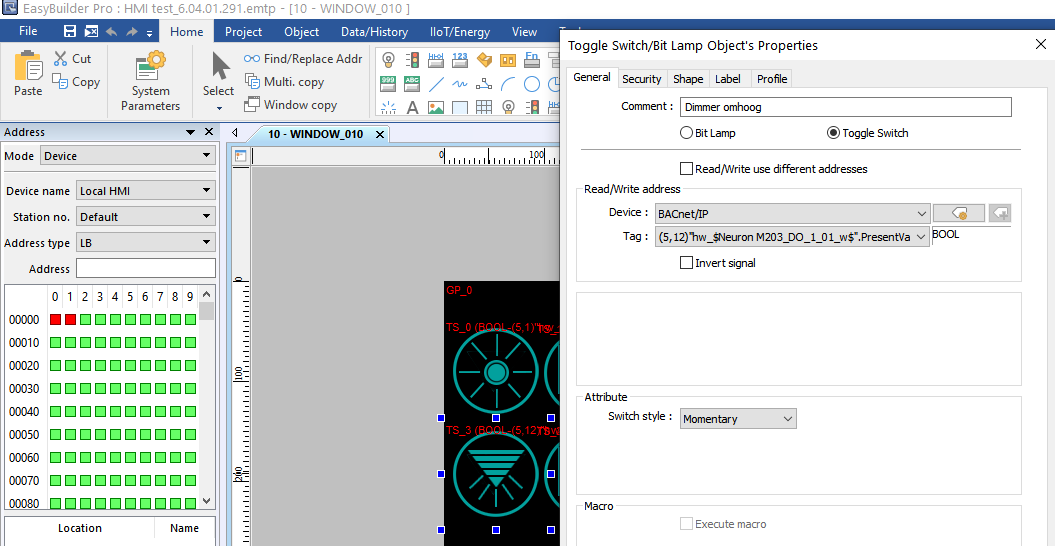
For ex. i touch the button until 60% (6V) and relase it it will stay on 60%. After short touch the voltage drops to 0%. Short touch again it goes back to 60%.The button on the HMI is configured for Neuron M203_D0_1.01w and in the main of Mervis configured as M203_D0_1.01r, that works well. after touching the screen on dimming button changes to true.
The problem is that i tried a lot of schemes with fupla but i only get it to work with 0V and 10V, it's not adjustable.
I hope someone will help me with this problem.
Many Regards,
John-paul
-
Hello @John-paul,
this functionality is almost impossible to implement due to two facts:The button (Digital Setter) changes the value of an assigned variable with each click. What you are looking for is a momentary push button, which isn't available in the HMI. Also, the responsivness of the HMI is not so fast, so this functionality would result in very poor user experience.
But you can try it with a different configuration. You can have a Digital setter with two states "start dimming" and "stop dimming". This could alter the state of dimming variable, which will enable or disable a ramping up and down between values 0 - 10. This could be achieved with a "Saw generator" function block.
Best regards,
Martin -
Hello Martin,
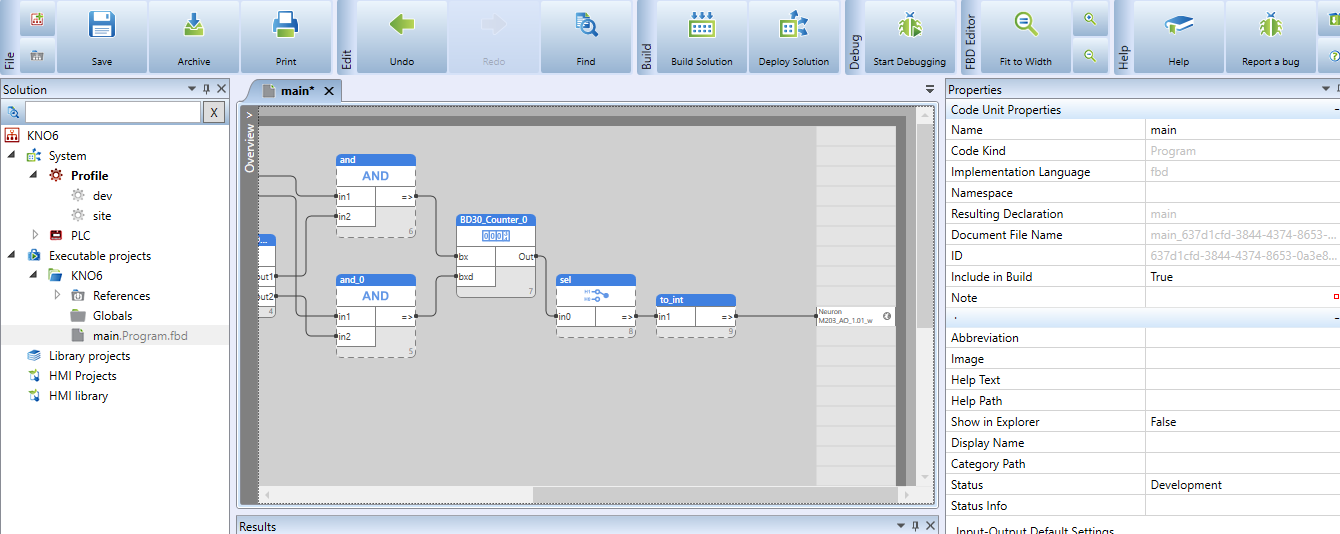
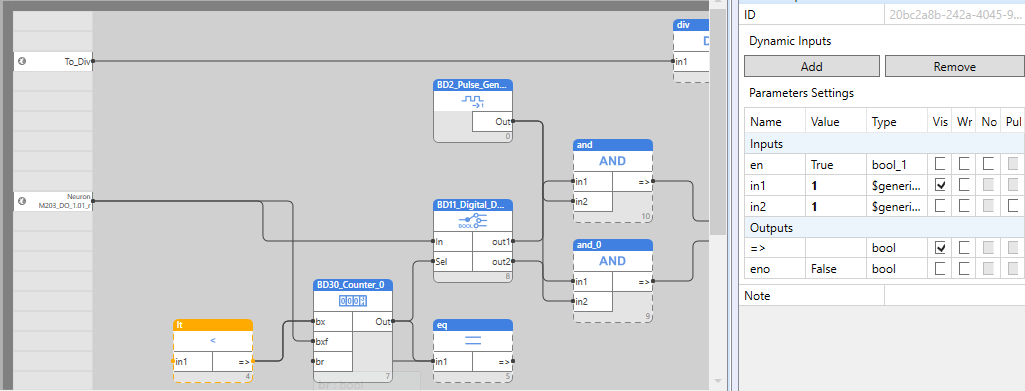
Thanx for the reply. I use a Weintek HMI where the switch is configured momentory as you can see in the picture. The pi is switching also that way from false to true 1 time at the push of the button. When i configure a BD30 counter on the DI_1.01_r the counter goes 1 step up at one push of the button. I'm looking for a way to convert those steps to the AO_1.01_w. When i do so it only switches between 0.005 and 10.5 V. Is there a way to convert the steps of the button to 0-10V ? I tryed the scheme on the forum as you can see in the 2nd and 3rd picture. On the to_int i also get the steps but every step from 1 up sets the voltage to 10.5V.
Many regards,
John-paul
-
Martin,
The problem i get is the error on the eq connected to the BD30_counter. "not enough arguments in a call to the 'eq'"
as you can see in the picture EQ.png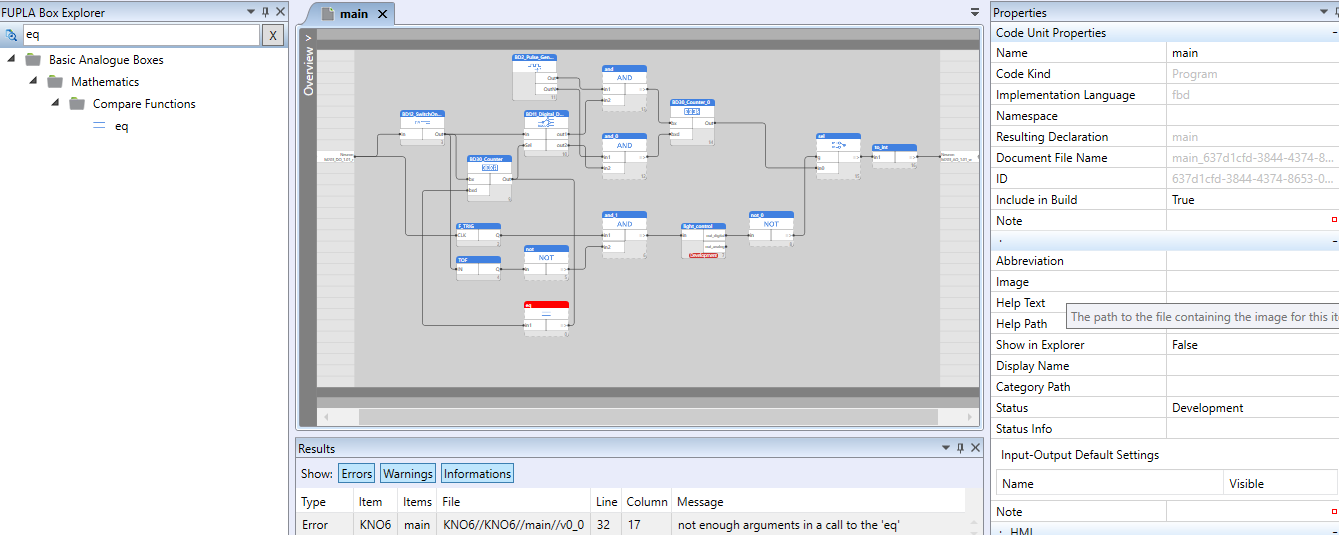
-
Hello @John-paul, you probably don't have any other input on the
eqfunction blok. If you want the in1 to be compared to some constant, you need to add in2 and set is as invisible / hidden. -
Hello Martin,
I tried the eq with 2 inputs and made the in2 invisable. No results and same problem.
@Giamba i used your program from from your message of 10-7-2017. Maybe there's a simple explaination of this problem?
Even with this program the AO_1.01_w still switches between 0-10v at the short push of the button. Thats ok, but the long push doesn't do the trick of voltage steps. On long push of the button the voltage switches from 0-10v or from 10-0v at the relase of the button.Many regards, John-paul
-
Hello @Martin-Kudláček ,
I have been able to solve the 1-10v dimming problem.
It was a bit of a puzzle, but in the end it went well.
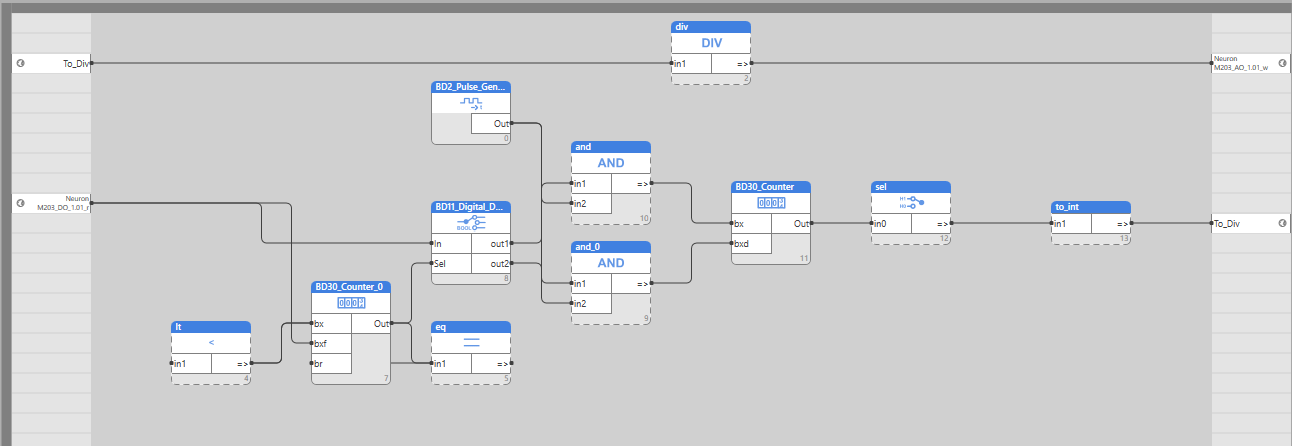
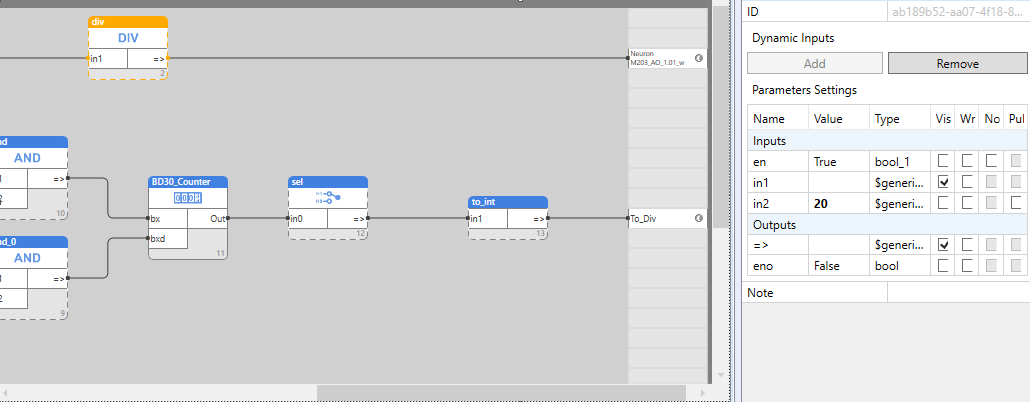
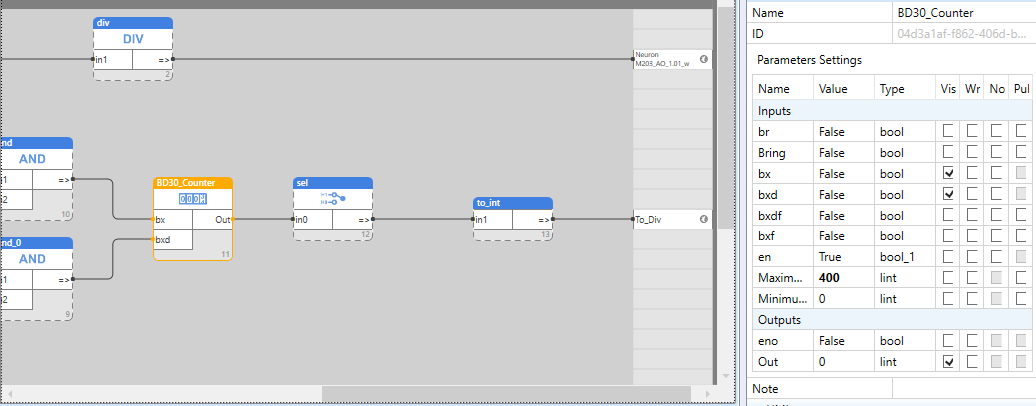
I have created an extra node to a div.
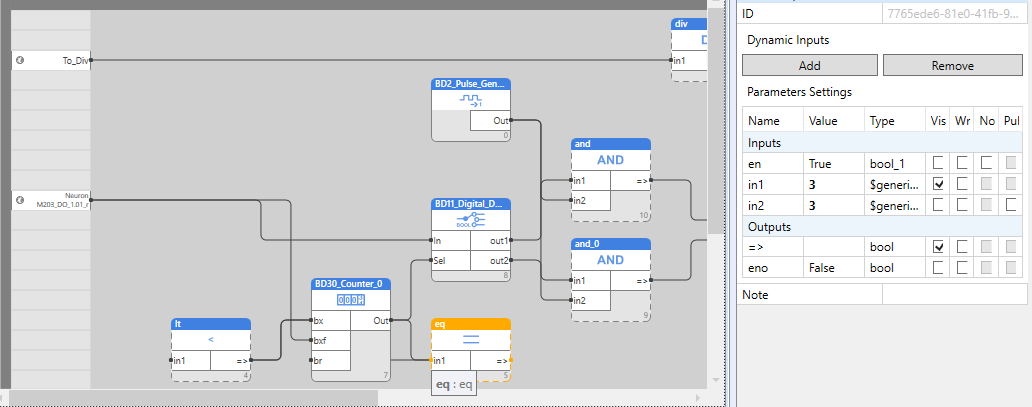
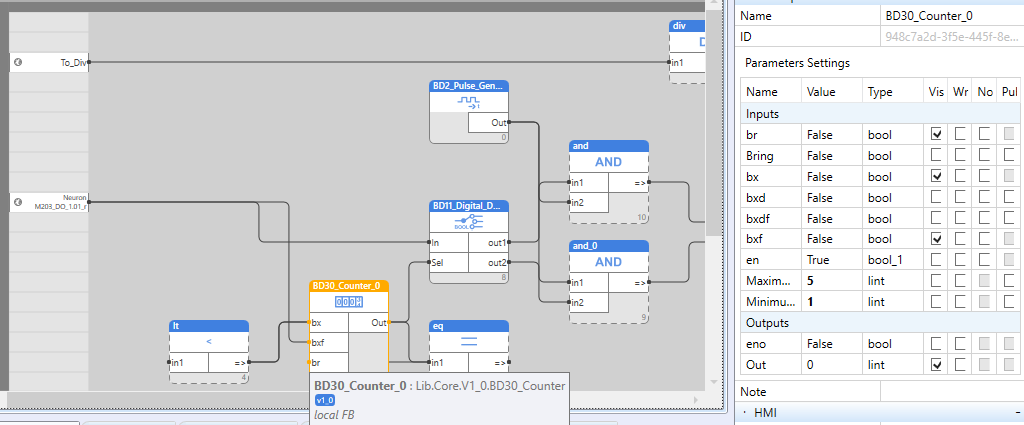
I solved the EQ problem by adding a LT compare function so that when the counter reaches 0 it automatically becomes 1 again. When I now click the dimmer button on the hmi, the LED lamp gradually rises and stops when I release it. I press it back in, it goes down again, etc.
The LED lamp driver uses about 2 milliamps so i can connect enough drivers for the room lighting.
I am very happy with this solution and would like to thank you for your support.Many regards John-paul


Hello! It looks like you're interested in this conversation, but you don't have an account yet.
Getting fed up of having to scroll through the same posts each visit? When you register for an account, you'll always come back to exactly where you were before, and choose to be notified of new replies (either via email, or push notification). You'll also be able to save bookmarks and upvote posts to show your appreciation to other community members.
With your input, this post could be even better 💗
Register Login