• Categories
    • Recent
    • Tags
    • Popular
    • Users
    • Groups
    • Search
    • Register
    • Login

    Example UI flow not working

    Scheduled Pinned Locked Moved Node-RED
    4 Posts 2 Posters 1.6k Views
    Loading More Posts
    • Oldest to Newest
    • Newest to Oldest
    • Most Votes
    Reply
    • Reply as topic
    Log in to reply
    This topic has been deleted. Only users with topic management privileges can see it.
    • L
      lessmann
      last edited by

      I've followed the OS instructions and imported the example demo flow. The UI inputs and outputs are not creating any physical changes on the unipi, how can I trouble shoot this?

      https://kb.unipi.technology/en:sw:03-3rd-party:nodered:installation-neuron

      The connections claim to be connected
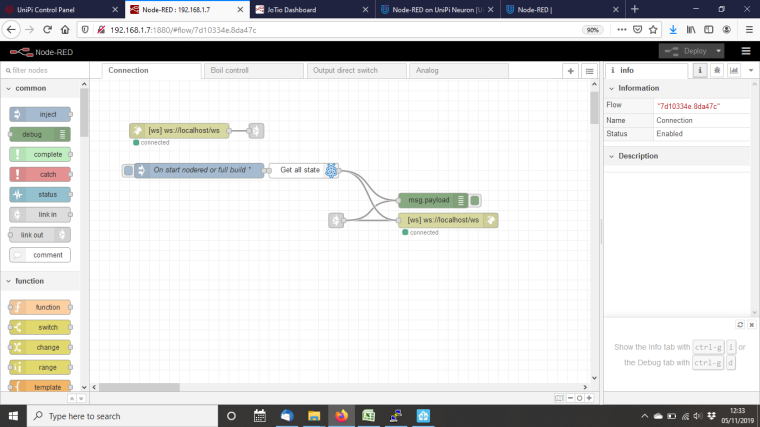
      0_1572957310872_nodered.png

      0_1572957321140_noderedUI.png

      1 Reply Last reply
      Reply Quote 0
      • WesleyFrankenW
        WesleyFranken
        last edited by WesleyFranken

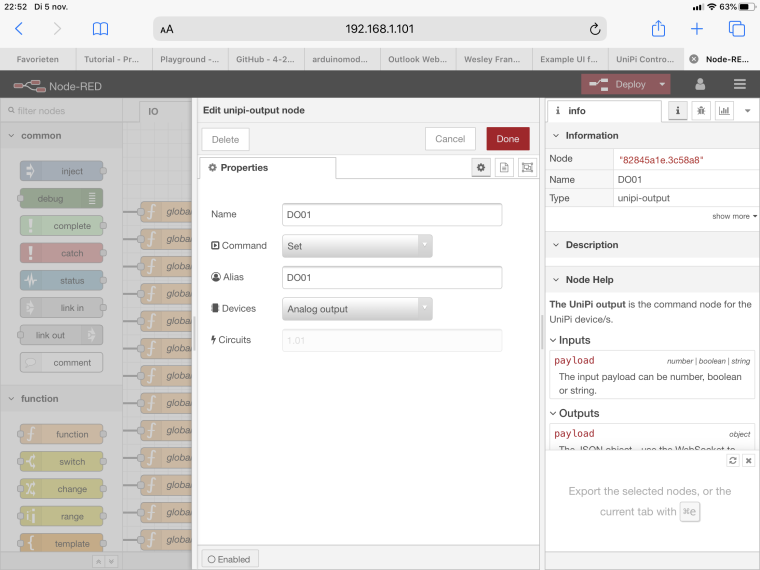
        Did you name the IOs like in your flows in the EVOKE configuration page?

        Name IO in EVOKE configuration page:
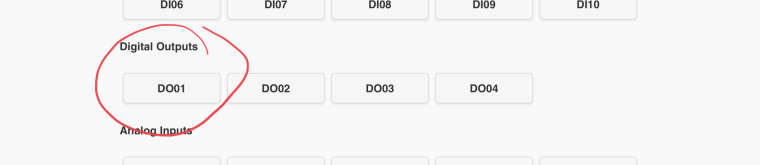
        0_1572991083072_6506802B-47EE-486F-AF48-7A8C2A359F04.jpeg

        Program node:
        0_1572990869492_869507A0-5D13-472D-8511-184367B0BD35.jpeg

        0_1572990882950_A8F900F6-8242-4DF6-A91A-E1DC3E27982D.png

        I hope I have answered your question, if not, please let me know!

        Systems Integrator Smart Buildings, Smart Cities & IoT

        L 1 Reply Last reply
        Reply Quote 0
        • L
          lessmann @WesleyFranken
          last edited by

          @wesleyfranken I feel like I'm trying to learn chinese here!
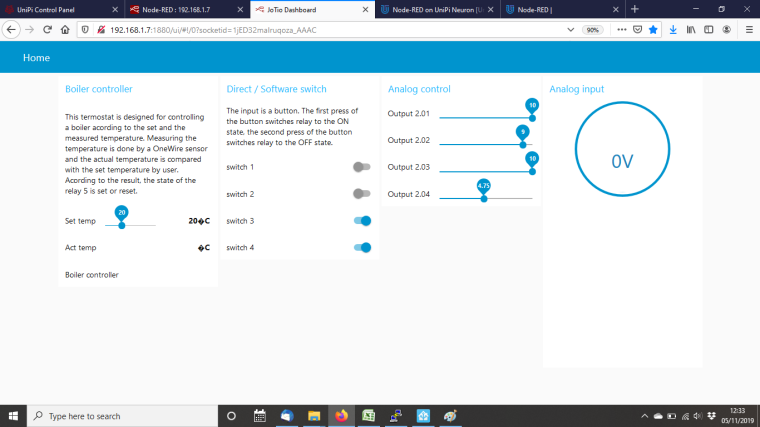
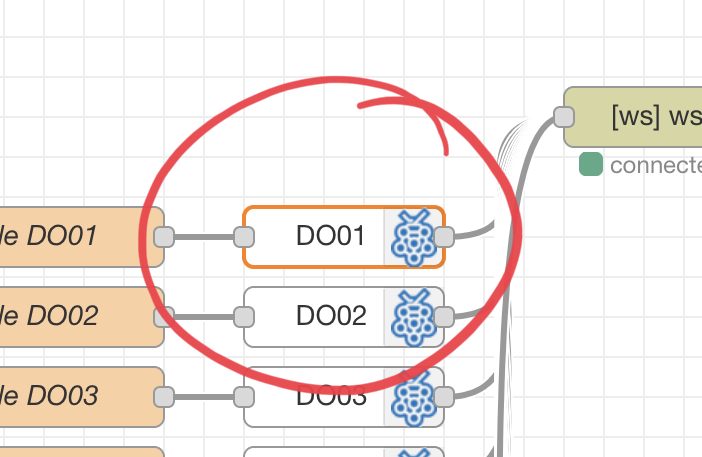
          I have changed the flow to "Relay 4" and at least now when I select "switch 4" it indicates an "on" (whatever that means) but the relay is not switching?
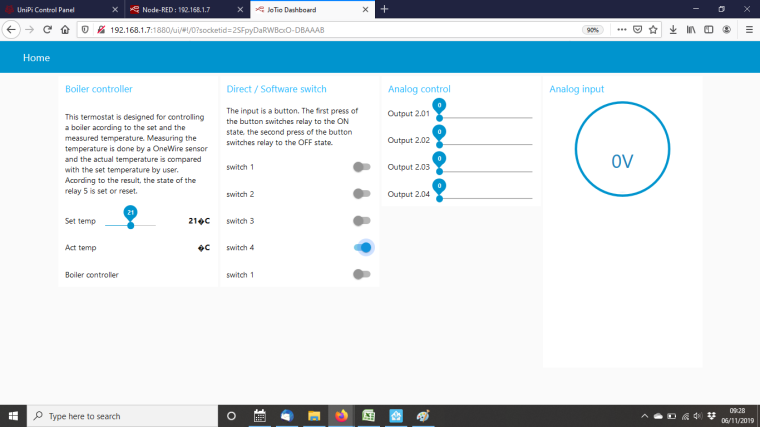
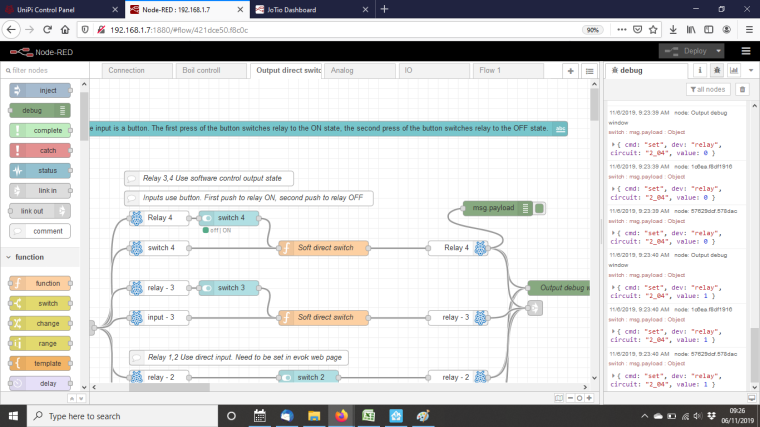
          0_1573032512256_switch 4 ui.png
          0_1573032524639_switch 4 node red.png

          1 Reply Last reply
          Reply Quote 0
          • WesleyFrankenW
            WesleyFranken
            last edited by WesleyFranken

            Everything is chinese the first time :-), don't worry.

            Can you show me the configuration of the Relay 4 Node within Node-RED?
            Also open your EVOKE configuration bij entering in your case 192.168.1.7, and show the configuration of your relay 4.

            Systems Integrator Smart Buildings, Smart Cities & IoT

            1 Reply Last reply
            Reply Quote 0

            Hello! It looks like you're interested in this conversation, but you don't have an account yet.

            Getting fed up of having to scroll through the same posts each visit? When you register for an account, you'll always come back to exactly where you were before, and choose to be notified of new replies (either via email, or push notification). You'll also be able to save bookmarks and upvote posts to show your appreciation to other community members.

            With your input, this post could be even better 💗

            Register Login
            • First post
              Last post