UNIPISPI spi0.0: SPI transfer failed
-
I have a regular problem in the logs. See the message "SPI transfer failed". Occurs on AXON and Neuron. Looks like it's related with ModBus devices, maybe with modbus timeouts.
But tonight I got a completely broken system, heating and the system is halted. Received 2 Gb (Two Gigabytes) log with the same messages:
Nov 19 06:26:11 kernel: [2021088.218536] UNIPISPI spi0.0: SPI transfer failed: -110
Nov 19 06:26:11 kernel: [2021088.218574] spi_master spi0: failed to transfer one message from queue
Nov 19 06:26:11 kernel: [2021088.242536] spi_master spi0: spi0.1: timeout transferring 6 bytes@12000000Hz for 24(20)ms
Any recommendations tuning the system?
-
@beergeek can you paste output of the "dmesg | grep UNIPISPI" command? Would like to know the kernel module version. And what is the firmware version? fwspi -i 0
-
unipi ~ $ dmesg | grep UNIPISPI
[    2.454608] UNIPISPI: UniPi Board B_1000 (L:0 U:0 C:0) at CS0 (nspi0 12000kHz) detected.
[    2.467983] UNIPISPI: 16 User LEDs detected at nspi0
[    2.475954] UNIPISPI: UniPi Board E_16Di_U_14Ro (L:3 U:2 C:8) at CS1 (nspi1 12000kHz) detected.
[    2.495803] UNIPISPI: Probe did not detect a valid UniPi device at CS2
[    2.496119] UNIPISPI: SPI Driver Registered, Major Version: Version 1.34:2019:10:03
[    2.496737] UNIPISPI: ModBus/SPI interface /dev/unipispi (245:0) created.
[  158.661036] UNIPISPI spi0.0: SPI transfer failed: -110
[ 2148.754015] UNIPISPI spi0.1: SPI transfer failed: -110
[ 3297.270834] UNIPISPI spi0.1: SPI transfer failed: -110
[ 3618.798812] UNIPISPI spi0.1: SPI transfer failed: -110
[ 6489.035355] UNIPISPI spi0.1: SPI transfer failed: -110
[ 8414.343493] UNIPISPI spi0.0: SPI transfer failed: -110
[12400.512183] UNIPISPI spi0.1: SPI transfer failed: -110
[12481.452324] UNIPISPI spi0.0: SPI transfer failed: -110
[13153.014346] UNIPISPI spi0.1: SPI transfer failed: -110
[14039.157003] UNIPISPI spi0.0: SPI transfer failed: -110
[15105.415528] UNIPISPI spi0.0: SPI transfer failed: -110
[16545.011297] UNIPISPI spi0.1: SPI transfer failed: -110
[16546.771363] UNIPISPI spi0.1: SPI transfer failed: -110
[18041.752730] UNIPISPI spi0.1: SPI transfer failed: -110
[20890.498278] UNIPISPI spi0.1: SPI transfer failed: -110
[21524.030638] UNIPISPI spi0.1: SPI transfer failed: -110
[23903.903012] UNIPISPI spi0.1: SPI transfer failed: -110
[24528.342008] UNIPISPI spi0.0: SPI transfer failed: -110
[24859.480110] UNIPISPI spi0.0: SPI transfer failed: -110
unipi ~ $ fwspi -i 0 -bash: fwspi: command not foundunipi-common/stretch,now 1.2.12~stretch arm64 [installed,automatic] unipi-firmware/stretch,stretch,stretch,now 5.40 all [installed] unipi-firmware-tools/stretch,now 1.2.12~stretch arm64 [installed,automatic] unipi-kernel-modules/stretch,now 1.34.1.20190926~stretch arm64 [installed,automatic] unipi-mervis-tools/stretch,stretch,stretch,now 2.1.3.16~stretch all [installed] unipi-modbus-tools/stretch,now 1.2.12~stretch arm64 [installed] -
@beergeek sorry the fwspi should be like /opt/unipi/tools/fwspi -i 0 with root privileges
-
Yep, thanks, found it
unipi ~ $ sudo /opt/unipi/tools/fwspi -i 0 Boardset: 0 B-1000 (v1.0) Baseboard: 0 B-1000 (v2.0) Firmware: v5.36 -
This is a very rare issue with stuck SPI line, let us know on email or phone when/if this happens next time so we can see it.
-
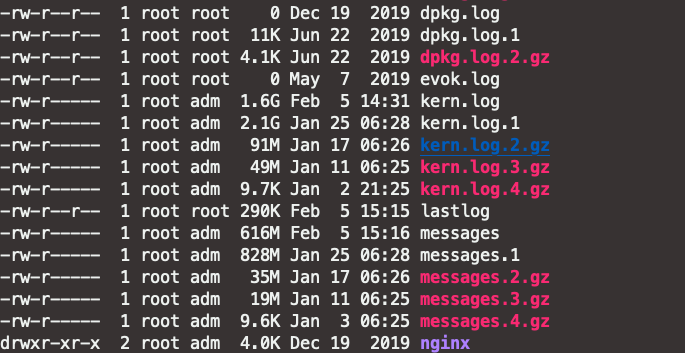
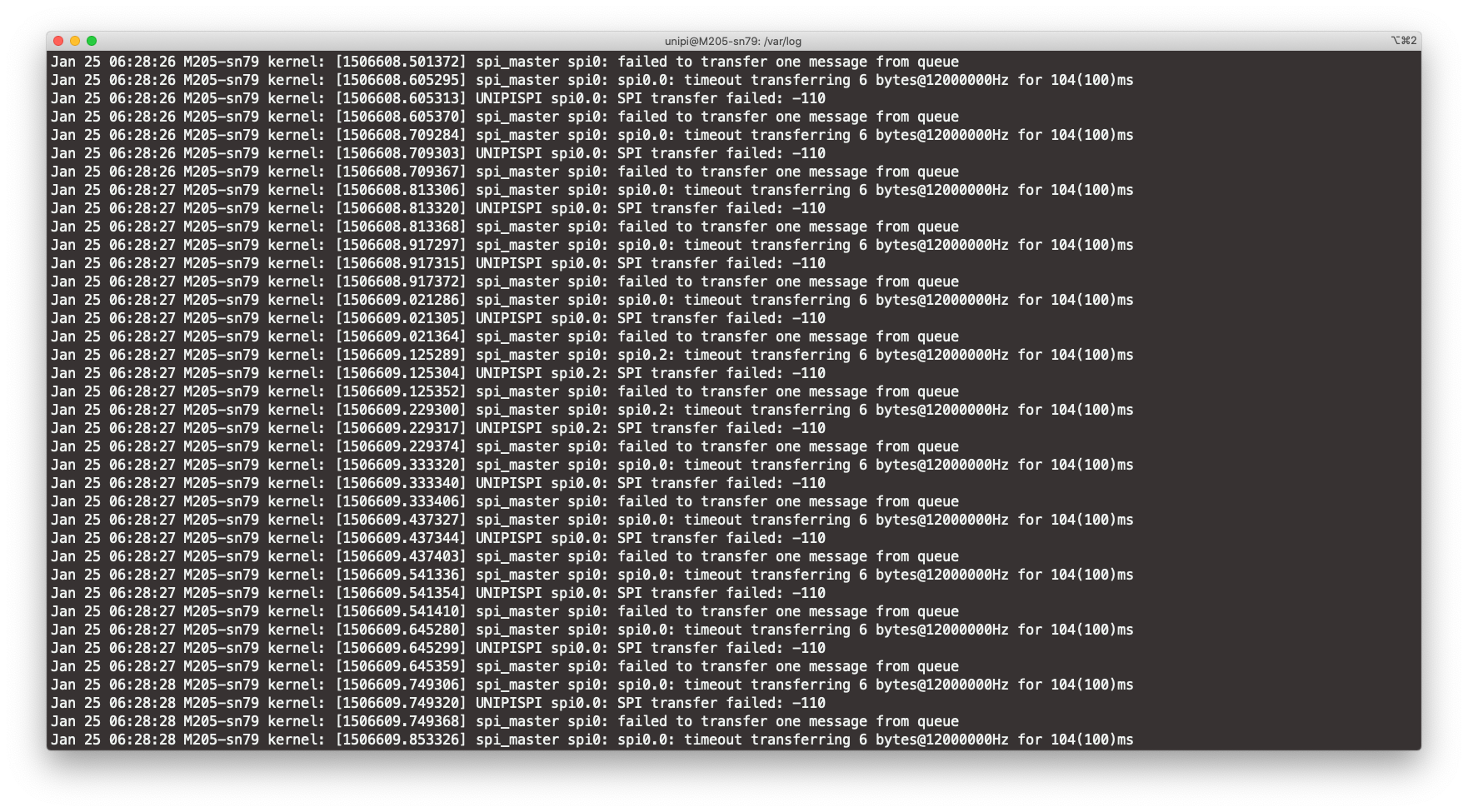
Hello, I got exactly the same problem on 2 Axon M205 controllers. How can I make sure it doesnt happen anymore ?!
-
Maybe this will help you. I had this problem regularly with one cheap Chinese AI reader (water valve controller). Then this controller died and I bough better quality valve (twice expensive). This error disappeared and did not occur for 3 months.
So, it looks like this error may occur due to a low-quality device in the network.
-
@PhilesG Would you please try to update the our kernel modules to the latest version? You can do this by apt update && apt install unipi-kernel-modules or by rewriting the whole OS by a new one from https://kb.unipi.technology/en:files:software:os-images:00-start#axon_generation_os using this guide https://kb.unipi.technology/en:sw:01-mervis:running-on-axon-hidden#flashing_the_os
Hello! It looks like you're interested in this conversation, but you don't have an account yet.
Getting fed up of having to scroll through the same posts each visit? When you register for an account, you'll always come back to exactly where you were before, and choose to be notified of new replies (either via email, or push notification). You'll also be able to save bookmarks and upvote posts to show your appreciation to other community members.
With your input, this post could be even better 💗
Register Login