• Categories
    • Recent
    • Tags
    • Popular
    • Users
    • Groups
    • Search
    • Register
    • Login

    Switching output or relay on
    Scheduled Pinned Locked Moved Node-RED
    14 Posts 3 Posters 5.1k Views 3 Watching
    Loading More Posts
    • Oldest to Newest
    • Newest to Oldest
    • Most Votes
    Reply
    • Reply as topic
    Log in to reply
    This topic has been deleted. Only users with topic management privileges can see it.
    • L
      lessmann
      last edited by lessmann

      I am relatively new to Node-red but I think I have grasped the basics.
      I am however struggling to get to grips with how to implement it on the Unipi, I have for example an mqtt msg which I am hoping to switch a relay on/off

      How do I do this?
      I've tried in several ways with no luck....

      To trouble shoot this I'll simplify it to the problem I'm having
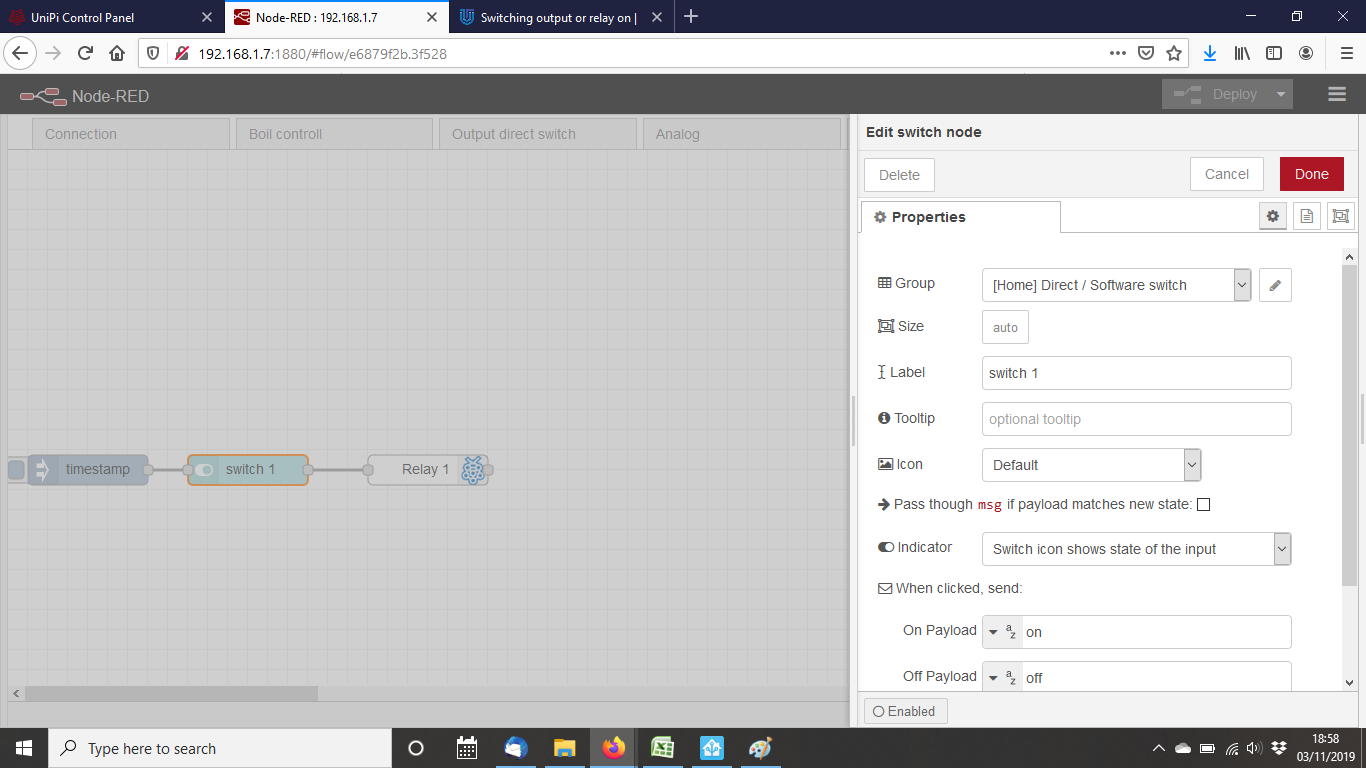
      I'll try simply to switch one of the relays using an inject node for example, how do I get the Relay or output to switch?
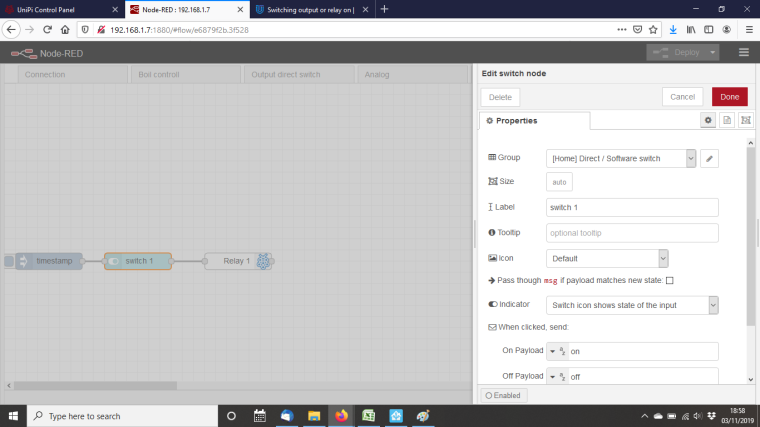
      0_1572807545648_nodered.png

      Is there a tutorial or guide to getting set up that I can follow?

      I do suspect that I may have an installation error as when trying out the boiler control UI example from the instructions none of the outputs react to UI inputs

      WesleyFrankenW 1 Reply Last reply
      Reply Quote 0
      • WesleyFrankenW
        WesleyFranken @lessmann
        last edited by WesleyFranken

        @lessmann, see example:

        I've a example which will help you. Basically what you need to do is fill a variable and use it in the IO. This will help you to be flexible.

        >Download json for example<

        Don't forget to rename all of your IOs or they will not work:
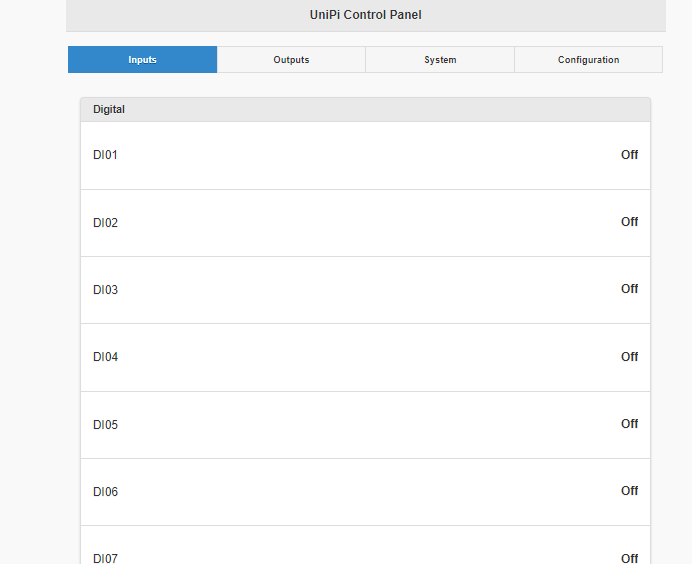
        0_1572983332286_7c77d214-f1fc-49a8-b8be-45166e188be0-image.png

        Good luck!

        Systems Integrator Smart Buildings, Smart Cities & IoT

        L 2 Replies Last reply
        Reply Quote 0
        • L
          lessmann @WesleyFranken
          last edited by lessmann

          This post is deleted!
          1 Reply Last reply
          Reply Quote 0
          • L
            lessmann @WesleyFranken
            last edited by

            @wesleyfranken I've imported your flow into Node red thanks but I have no idea what to do with it at this stage.

            I've named the Relay 1 as it is name in Evoke and added a simple "1" into an inject node but this is not triggering the relay?
            Infact it seems to switch it off according to the screen print below.
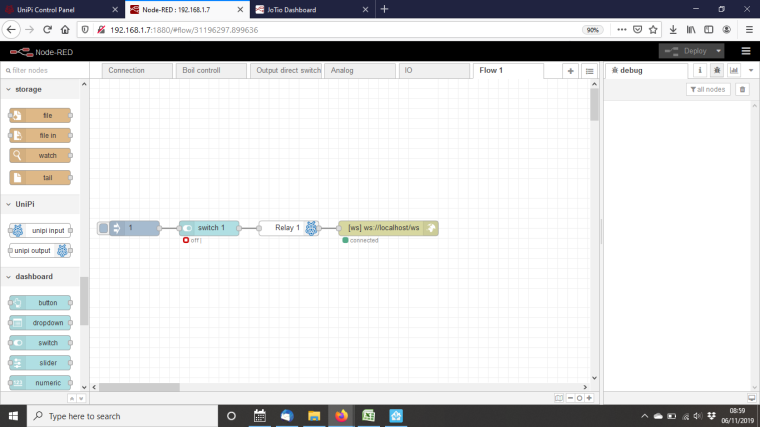
            0_1573031150851_relay1 Node red.png

            0_1573031160849_relay1 Evoke.png

            1 Reply Last reply
            Reply Quote 0
            • WesleyFrankenW
              WesleyFranken
              last edited by

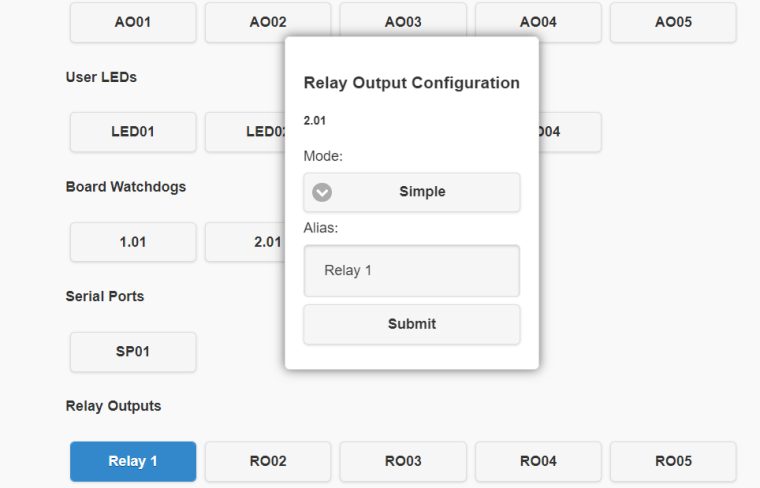
              My configuration of "Relay 1":
              0_1573069150074_a2362fe3-e2be-49c7-8458-9dc265ee206d-image.png

              The configuration of the node within Node-RED I used:
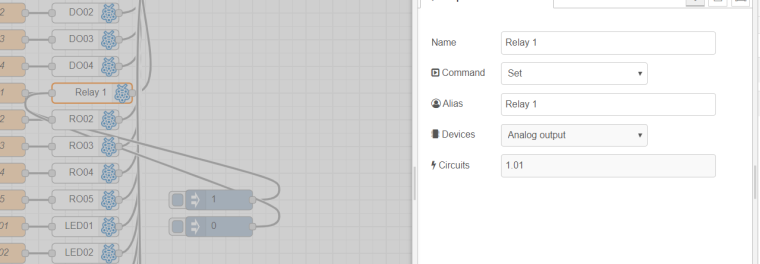
              0_1573069344729_f4041705-9e54-45e8-89da-1df81bfefd5d-image.png

              It does not matter if you send "1" or 1.

              Try it, does this configuration work for you?

              Systems Integrator Smart Buildings, Smart Cities & IoT

              L 1 Reply Last reply
              Reply Quote 0
              • L
                lessmann @WesleyFranken
                last edited by

                @wesleyfranken my evok relay did not look like that and when I tried to write in the "alias" field I would get an error. Unfortunately I can't check this now as I have accidentally broken my unipi.
                In an attempt to tidy up the dinrail I rewired the power and connected it to the wrong (24v) supply by accident.
                Maybe I did it on purpose because it was causing me such a headache 😂

                Thank you for your help on this. I'll let you know when or if I get a replacement.

                1 Reply Last reply
                Reply Quote 0
                • WesleyFrankenW
                  WesleyFranken
                  last edited by

                  When you have another Neuron and need any help setting it up, please let me know!

                  I would recommend the M503 which a pretty nice bang for your buck and is useful for testing purposes.

                  Until next time!

                  Systems Integrator Smart Buildings, Smart Cities & IoT

                  L 1 Reply Last reply
                  Reply Quote 0
                  • L
                    lessmann @WesleyFranken
                    last edited by

                    @wesleyfranken I'm obviously a sucker for punishment but I have a replacement Unipi1.1 and it's set up and ready to go. Not that sure if I am, I don't think I like Node Red very much. I do not find it very intuitive.
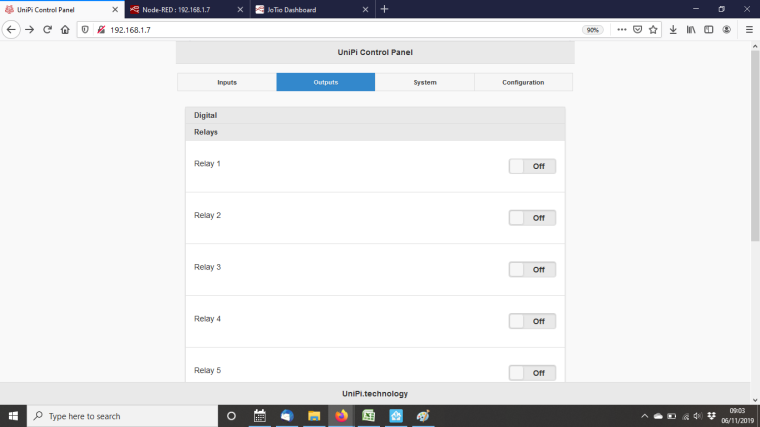
                    Anyway I am trying to understand what you were saying about configuring the I/O in Evok. Below is my configuration page but I can't change any of this...
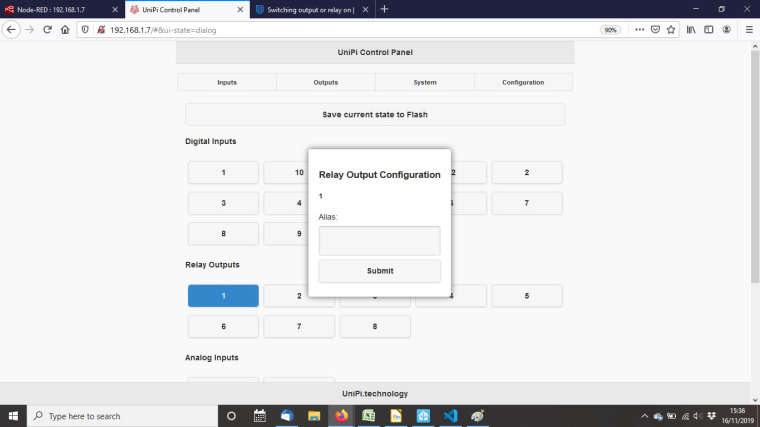
                    0_1573918619242_Unipi Evok Configuration.jpg

                    1 Reply Last reply
                    Reply Quote 0
                    • L
                      lessmann
                      last edited by

                      As the Evok can't be changed I must be naming the Relay incorrectly on the Node Red side.
                      I have attached Inject nodes into a "Relay 1" as you suggested and the screen print is below but it's not doing anything
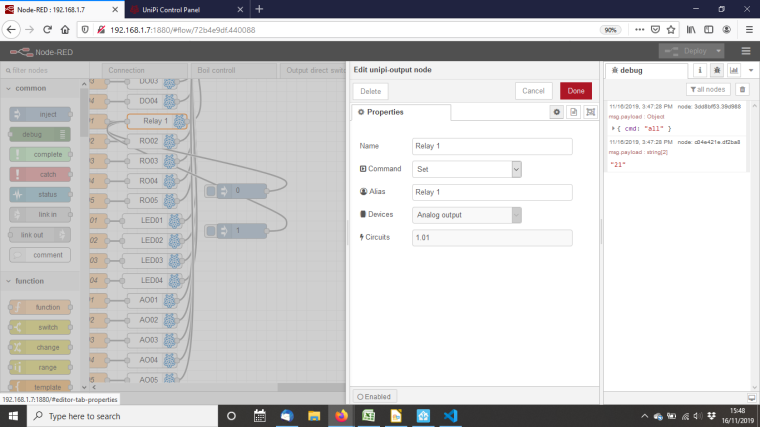
                      0_1573919442860_Node Red Relay 1.png

                      1 Reply Last reply
                      Reply Quote 0
                      • L
                        lessmann
                        last edited by

                        Are we sure that the "local host" is connected to the Unipi? It says "connected" in Node Red
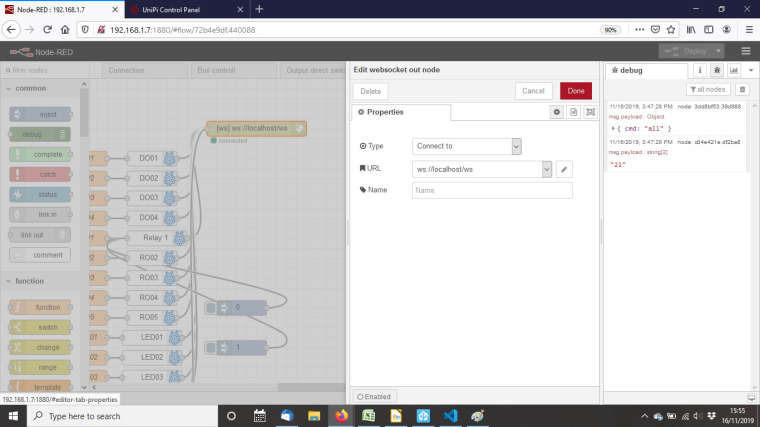
                        0_1573920693790_Node Red Connection.jpg

                        1 Reply Last reply
                        Reply Quote 0
                        • L
                          lessmann
                          last edited by lessmann

                          @WesleyFranken
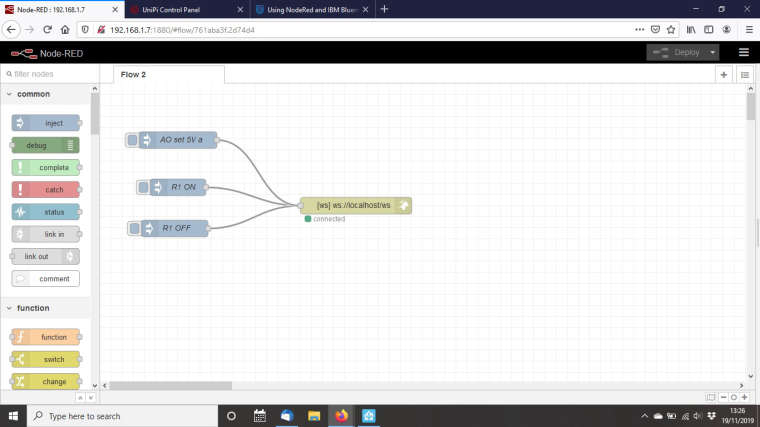
                          I've gone back to the installation instructions and tutorial and trying to follow the initial basic example given but again it does not seem to do anything.

                          This is the flow.....

                          [{"id":"a3c2ed71.5c3d1","type":"websocket-client","path":"ws://127.0.0.1/ws","wholemsg":"false"},{"id":"c7a9d1f1.38563","type":"websocket out","name":"","server":"","client":"a3c2ed71.5c3d1","x":643,"y":272,"z":"2b1b35ba.d4e4ca","wires":[]},{"id":"80afc33f.7f504","type":"inject","name":"R1 ON","topic":"","payload":"{\"dev\":\"relay\", \"circuit\":\"1\", \"value\":\"1\"}","payloadType":"string","repeat":"","crontab":"","once":false,"x":363,"y":199,"z":"2b1b35ba.d4e4ca","wires":[["c7a9d1f1.38563"]]},{"id":"3964a515.c69b5a","type":"inject","name":"R1 OFF","topic":"","payload":"{\"dev\":\"relay\", \"circuit\":\"1\", \"value\":\"0\"}","payloadType":"string","repeat":"","crontab":"","once":false,"x":357,"y":273,"z":"2b1b35ba.d4e4ca","wires":[["c7a9d1f1.38563"]]},{"id":"aa9c56df.5563a8","type":"inject","name":"AO set 5V a","topic":"","payload":"{\"dev\":\"ao\", \"circuit\":\"1\", \"value\":\"5\"}","payloadType":"string","repeat":"","crontab":"","once":false,"x":363,"y":114,"z":"2b1b35ba.d4e4ca","wires":[["c7a9d1f1.38563"]]}]
                          

                          ....and this is the flow example

                          0_1574170104976_NodeRed tutorial.jpg

                          Z 1 Reply Last reply
                          Reply Quote 0
                          • Z
                            zdenek_jotio @lessmann
                            last edited by zdenek_jotio

                            @lessmann
                            Hello, Maybe the problem could be wrong parameter in your inject node, property "circuit". Try to write 1_01.

                            [
                                {
                                    "id": "ea2bcddd.a24bd",
                                    "type": "websocket out",
                                    "z": "30748b10.e19c14",
                                    "name": "",
                                    "server": "",
                                    "client": "dd64b36.1f0375",
                                    "x": 870,
                                    "y": 620,
                                    "wires": []
                                },
                                {
                                    "id": "8d47e7f7.2cd0a8",
                                    "type": "inject",
                                    "z": "30748b10.e19c14",
                                    "name": "OUT1 ON",
                                    "topic": "",
                                    "payload": "{\"cmd\":\"set\",\"dev\":\"relay\",\"circuit\":\"1_01\",\"value\":1}",
                                    "payloadType": "json",
                                    "repeat": "",
                                    "crontab": "",
                                    "once": false,
                                    "onceDelay": 0.1,
                                    "x": 360,
                                    "y": 620,
                                    "wires": [
                                        [
                                            "ea2bcddd.a24bd"
                                        ]
                                    ]
                                },
                                {
                                    "id": "ff63b95.a35eb48",
                                    "type": "inject",
                                    "z": "30748b10.e19c14",
                                    "name": "OUT1 OFF",
                                    "topic": "",
                                    "payload": "{\"cmd\":\"set\",\"dev\":\"relay\",\"circuit\":\"1_01\",\"value\":0}",
                                    "payloadType": "json",
                                    "repeat": "",
                                    "crontab": "",
                                    "once": false,
                                    "onceDelay": 0.1,
                                    "x": 360,
                                    "y": 660,
                                    "wires": [
                                        [
                                            "ea2bcddd.a24bd"
                                        ]
                                    ]
                                },
                                {
                                    "id": "dd64b36.1f0375",
                                    "type": "websocket-client",
                                    "z": "",
                                    "path": "ws://192.168.1.7/ws",
                                    "tls": "",
                                    "wholemsg": "false"
                                }
                            ]
                            
                            L 1 Reply Last reply
                            Reply Quote 0
                            • L
                              lessmann @zdenek_jotio
                              last edited by lessmann

                              @zdenek_jotio I imported your example but it's not switching.
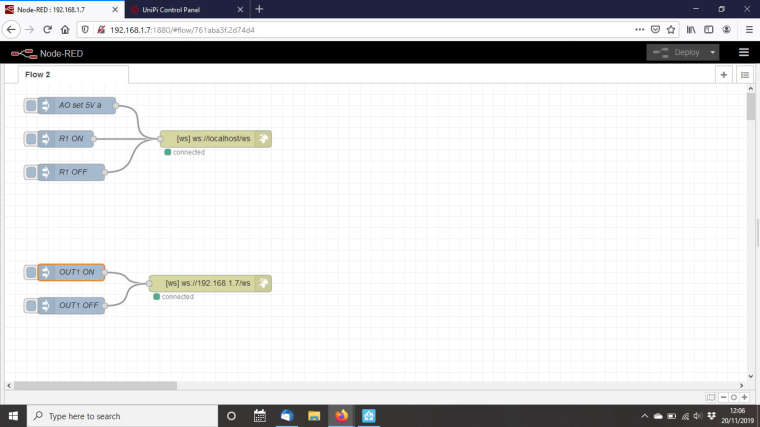
                              0_1574252030392_zdenek example.jpg
                              This is really frustrating, the Unipi responds as expected through the Evok interface but nothing is working with NodeRed.

                              1 Reply Last reply
                              Reply Quote 0
                              • L
                                lessmann
                                last edited by lessmann

                                @zdenek_jotio Success!!
                                I've changed your inject node to "1" instead of "1_01" and it's worked.
                                Finally getting somewhere.... Changing the nodes is working on all examples now
                                Brilliant, thanks for the direction

                                1 Reply Last reply
                                Reply Quote 0

                                Hello! It looks like you're interested in this conversation, but you don't have an account yet.

                                Getting fed up of having to scroll through the same posts each visit? When you register for an account, you'll always come back to exactly where you were before, and choose to be notified of new replies (either via email, or push notification). You'll also be able to save bookmarks and upvote posts to show your appreciation to other community members.

                                With your input, this post could be even better 💗

                                Register Login
                                • First post
                                  Last post