DI Not working
-
Hi Everyone!
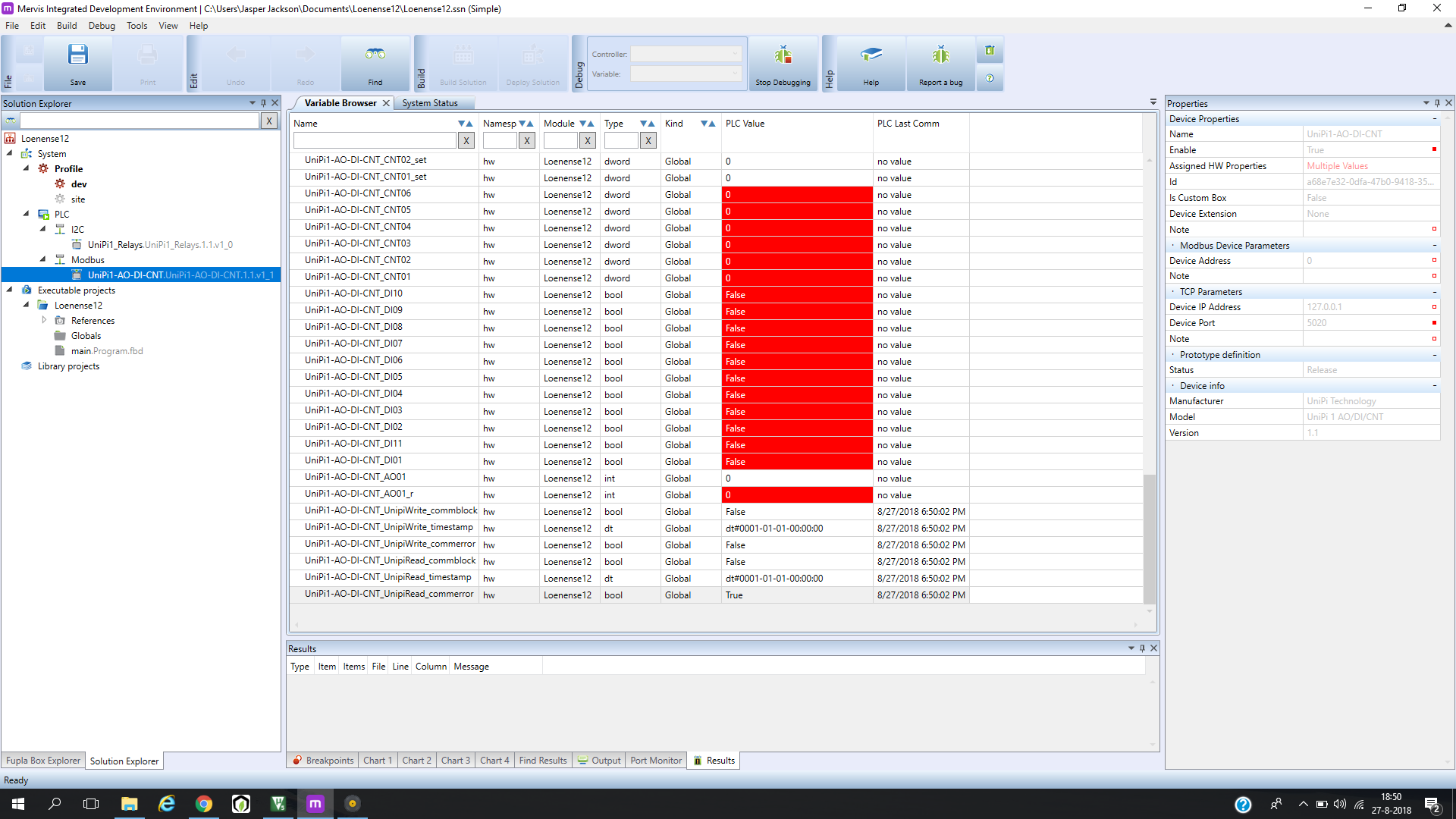
I have a small problem, the DI don"t seem to work. I have two unipies, one with the latest non-beta (working flawlessly) and one i tried with beta 1.6 and beta 1.7. These don't work for some reason. I Have a Pi 3b+ so I can't use the non-beta.
Any ideas? Relays are working, CommError on the AO-DI-CNT etc...
Thanks in advance!
Jasper
-
Hi @jasperjackson,
I have tested your setup and I ran into the same problem. I will discuss this with the dev team and get back to you as soon as possible.Thank you for your patience,
Martin -
@martin-kudláček many thanks in advance!
-
Hi @jasperjackson,
so the error is caused by missing evok-mini package in the image. You can SSH into the PLC and under the root user run theapt install evok-minicommand and then reboot the PLC (just to be sure).Martin
-
Wow! Thanks for the fast solution! I'll try tonight!
-
@martin-kudláček
It looks like there is another issue with the 1.7, when creating the I2C channel no protocols are listed.. I'll try the 1.6 now...

Regards,
Jasper
-
Hi @jasperjackson,
this issue is not caused by the MervisOS, but the MervisIDE. As I can see from the screenshot, you use some ultra-beta version which you probably received from one of my colleagues:) I will send you the latest version we have, but be aware, that it is still a beta with minor bugs and still not ready for production.Martin
-
Hello again @JasperJackson,
as we discussed via email, the image 1.7 and latest development version of MervisIDE fixes the problem you have encountered. Another problem occured when reading states of the digital inputs. We discovered a problem in the installation package and issued a new version. To fix your problem, SSH into the PLC and issue these commands:sudo su dpkg -P evok-mini pigpio apt-get update apt-get clean apt-get install evok-mini rebootFor clean image 1.7 you just need to install the fixed evok-mini package.
Martin

Hello! It looks like you're interested in this conversation, but you don't have an account yet.
Getting fed up of having to scroll through the same posts each visit? When you register for an account, you'll always come back to exactly where you were before, and choose to be notified of new replies (either via email, or push notification). You'll also be able to save bookmarks and upvote posts to show your appreciation to other community members.
With your input, this post could be even better 💗
Register Login