How to change the analog transformation on xS50?
-
Hi,
I would like to convert an input of 0-100 into an analog out of 0-10V. I have attempted changing the values for the LinearByTwoPoints transform method as well as the Linear method and am unable to get the behavior of the output to change. The LinearByTwoPoints seems stuck at 0-10 -> 0-10V and the Linear method does not output a voltage. Is there a known problem with the transform parameters? I have deployed the project and configured the modules multiple times. The extensions I have appear to be on FW 5.60 and I am running IDE 2.1.3.
-
Hi @matt,
the transformation is uploaded to the PLC with deploying of the solution, not with "Configure Unipi module".
Once you change the parameters of the transformation, any other subsequent change has to be deployed to the PLC with "Clear flash variables checked":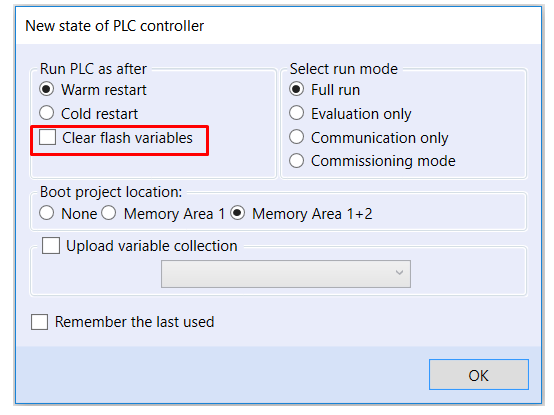
Best regards,
Martin -
Thank you, Martin. It is working properly now. Is there documentation on this or the transformation parameters anywhere? I spent a late night trying to debug this, and even with your instructions it took a couple tries to figure out that the linear scaling factor needed to be the inverse of what I expected it should be.
-
Hi @matt,
this is described in the MervisIDE help (F1):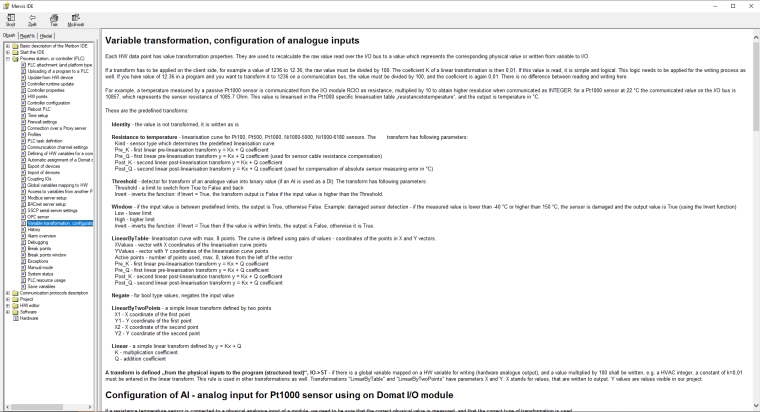
-
Thanks. Not sure how I missed that.

Hello! It looks like you're interested in this conversation, but you don't have an account yet.
Getting fed up of having to scroll through the same posts each visit? When you register for an account, you'll always come back to exactly where you were before, and choose to be notified of new replies (either via email, or push notification). You'll also be able to save bookmarks and upvote posts to show your appreciation to other community members.
With your input, this post could be even better 💗
Register Login