Can't connect evok with a third party module
-
Hi,
we are attending to connect an external power meter module to Neuron S103 hardware.
We have connected them electrically through the RS485 serial port, and we have configure /etc/evok.conf like this:
[EXTENSION_1]
global_id = 2
device_name = CUSTOM_MODBUS_DEVICE
modbus_uart_port = /dev/extcomm/0/0
neuron_uart_circuit = 1_01
allow_register_access = True
address = 1
;scan_frequency = 10
;scan_enabled = True
baud_rate = 38400
;parity = N
;stop_bits = 1

[OWBUS_1]
owbus = /dev/i2c-1 --i2c=/dev/i2c-1:AL
interval = 3
scan_interval = 300
The connection is active because we see the Tx and Rx Led from both the devices blinking.
However, we would like to use evok to get data from the extension module, but we don't see anything on evok dashboard.
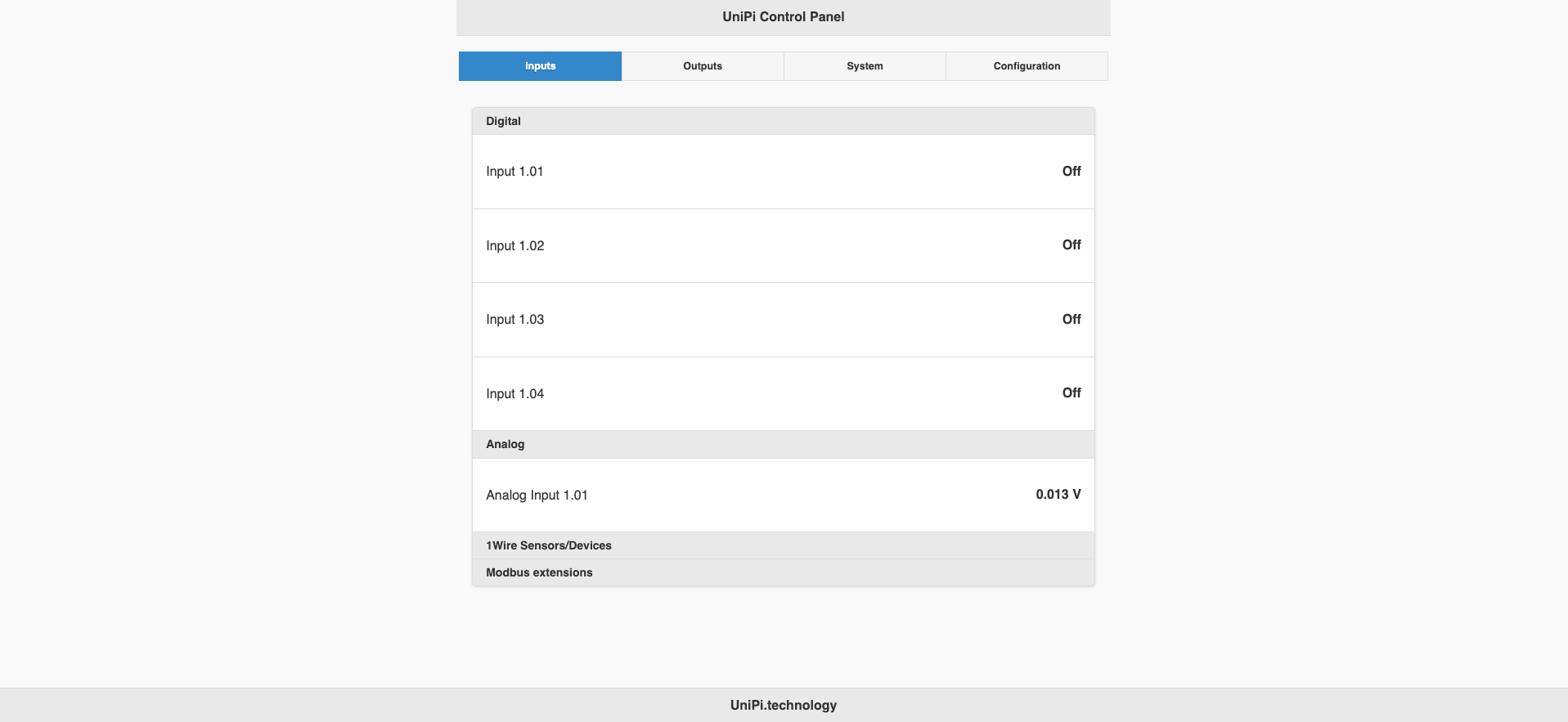
We think the problem is in the /etc/hw_definitions/CUSTOM_MODBUS_DEVICE.yaml but we don't know how to configure it.
Could you help us with this problem?
If you want we can give you the datasheet of the module.
Thanks!
-
For the record, this issue is currently being dealt with over email.
Martin

Hello! It looks like you're interested in this conversation, but you don't have an account yet.
Getting fed up of having to scroll through the same posts each visit? When you register for an account, you'll always come back to exactly where you were before, and choose to be notified of new replies (either via email, or push notification). You'll also be able to save bookmarks and upvote posts to show your appreciation to other community members.
With your input, this post could be even better 💗
Register Login